
The Archives
Are you searching for a specific Elle & Company blog post or topic? Type in a few keywords here:
February 2016
Change is the nature of a creative business.
Just when you think you have something figured out - whether it’s blogging, your service package, or your marketing strategy - it changes on you and you’re forced to adapt and reevaluate.
You can either fight it and get frustrated or look at it as an exciting challenge. And if I’m honest, I do a little bit of both.
That’s what happened with the Elle & Company website.
I made some updates last summer, but as my business has grown and changed my goals for the site have changed.
I needed to find a way to make it easier to navigate. I wanted to include content upgrades and opt-ins to grow my mailing list. And instead of doing a facelift and making things look better for a season, I knew an overhaul was in order for the long-term.
Maybe you’re in the same boat. Or maybe you’re just curious about the changes to our site and the reasoning behind them.
Either way, this post is for you! Here’s a look at what’s changed and why.
Adobe Illustrator is my go-to software for anything and everything design-related. It's the one program I truly couldn't work without.
And while it's easy to assume that the program's primary focus is illustration based on the name, there is so much more to this design software.
With tools for type, color, photo cropping, image tracing, drawing, and much more, it has innumerable benefits for bloggers and business owners, alike.
To get your creative gears turning, here's a look at 40 ways Adobe Illustrator can take your blog and/or business to the next level.
First impressions are crucial, especially in business.
Potential customers and clients make judgments about your business within the first few seconds of coming into contact with it, whether it’s through your website, your social media accounts, or a simple blog post graphic.
And those initial thoughts - whether they’re spot on or far off from what you want them to be - are within your control. You have the opportunity to make a killer first impression through high-quality, branded visuals.
If your blog is a large part of your business or you’re hoping to drive more traffic back to your site through your blog, you have to have eye-catching blog graphics to not only generate a positive first impression, but to encourage readers to share your posts on sites like Pinterest and be seen by an even wider audience.
So how do you create eye-catching blog post graphics? And better yet, how can you set them apart so they’ll stand out from the rest and be recognized time and time again?
January 2016

“When I discovered YouTube, I didn’t work for 5 days.” - Michael Scott
Video platforms like YouTube (and more recently, Periscope) are easily the world’s greatest time-wasters. We’ve all been guilty of losing track of time on YouTube at least once, because videos are easily consumable, very addicting, and highly entertaining.
As a matter of fact, studies show that a whopping 78% of us watch videos online every week and 55% watch videos online every day.
Which is why Youtube is also the world’s greatest overnight-success-maker. If you’re on the production-side of a video and you’ve come up with a clever idea, you might just have a viral hit on your hands.
Video holds a lot of potential for interaction, engagement, and shares for creative businesses. And for that reason, it’s one of the best visual marketing tools you can use.
But it producing videos can be a little overwhelming, can’t it? Even with helpful video tools out there like Animoto, many of us struggle to come up with simple ideas for video content that would appeal to our audience.
And that’s where this post comes in. I’ve rounded up 40 easy, engaging video content ideas to help get your creative gears turning. My hope is that you’ll find a few ideas to implement and as a result, bring your business more exposure.
If you’re looking for a good way to kill at least an hour of your time, type in the word “infographic” in the Pinterest search bar.
Thousands of clever graphics will pop up on everything from “how to make a salad taste awesome” to a baby’s first year in a review. There’s even an infographic that answers the pressing question, “Is your dog sleeping a little too much?”
Then, after you’ve admired the genius creativity behind them, take a gander at how many repins and likes each of those infographics receives. Thousands upon thousands.
In fact, infographic volumes have increased by over 800% in 2 years. Publishers who use infographics grow in traffic an average of 12% more than those who don’t.
What is it about infographics that makes them so appealing? And better yet, how can you come up with some clever infographics for your business so it gains more exposure through likes and shares?
I have all the answers for you in this post.
No one liked Pinterest when it first launched.
The founder, Ben Sildermann, struggled to find investors who were on board with his vision when he approached them at the outset; no one thought his project would amount to much.
And while Ben may have been frustrated then, I have a feeling he’s laughing now.
Because that little project no one was interested in investing in? It’s gone from 5,000 users to a whopping 180 million users in just 5 years.
Pinterest has become an inspiration resource, a search engine, and a fantastic outlet for businesses to market their offerings. It’s filled with gorgeous, high-quality photos of everything under the sun. It’s a visual feast.
While the statistics of Pinterest’s growth are shocking and inspiring, they’re even more telling of just how powerful visuals are today and will continue to be in the future. They’re indicative of the direction things are moving when it comes to marketing your business and getting noticed by potential customers.
There are many different visuals you can use to promote your products and services - from infographics to animated videos and everything in between - but photos are one of the most effective.
And while we know that subconsciously, we don’t always take the time to consider why.
So now’s a great time to take a few simple minutes to consider these 3 big reasons you should be making every effort to capture high-quality photos to promote your offerings.
There’s one goal every business has in common: to make a profit.
After all, money keeps your business afloat, pays the bills, and allows you to take home a paycheck.
But when you’re planning and strategizing ways to achieve that goal, there’s one variable that isn’t always easy to determine: your audience.
Identifying and understanding your ideal audience may seem to be a guessing game at first...
Who would benefit from my product/service?
How do I reach them?
How do I position my product to spark interest and encourage them to buy?
...but it shouldn’t be. Actually, there are plenty of ways to take the guesswork out of getting to know your ideal customer and make more accurate, data-driven characterizations.
“You can put lipstick on a pig, but it’s still a pig.”
Call it a ridiculous saying, but there’s some truth to it. You can try to dress something up and go to great lengths to change its exterior, but it’s still going to be the same on the inside.
The same is true for your marketing efforts. You can (and should) try to dress up your campaign with great visuals, but you’ll come up short if you gloss over a fundamental step: coming up with a solid concept.
That’s why all of those 14 genius visual marketing campaigns I shared a few days ago were so genius; they all started with a fantastic concept that was appropriate and appealing to their audience.
If coming up with a great marketing concept seems a little overwhelming and you don’t know where to start, don’t fret. I have a simple process to share with you that will make this fundamental step much less intimidating (and much more effective!).
“What makes a viral campaign?”
It’s a burning question every entrepreneur should be asking, especially when it comes to the visuals they’re using to promote their products and services.
In an effort to answer that question and spark some ideas for your own visual marketing campaign, I’ve rounded up 14 genius, effective examples for your viewing pleasure.
There’s a common trend that’s popping up throughout many creative industries. I’ve been a part of it and perhaps you have been, too.
Many business owners have started to make the move from service-based offerings - like web design and photography - to e-courses and digital products. Look around on most business-based websites and you’ll see a myriad of great courses, online workshops, digital downloads, ebooks, themes, templates, and software.
Along with those digital products come a myriad of helpful resources for how to create them. But there’s one thing no one seems to be talking about...
December 2015
It’s 9:00pm on Tuesday night.
You’ve committed to posting 3 times a week on your blog and your next post is due tomorrow morning, but inevitably, you’ve waited until the last minute. You’re tired, uninspired, and frustrated. With no idea what to write about, you sit and stare blankly at your computer, hoping that some bought of creativity will magically appear and help you crank out 1200 words of helpful, engaging content in time.
Can you relate?
Is your headline the first thing you consider when you sit down to write a post?
Probably not, but creating a catchy blog post title is one of the most important aspects of each blog post. It's the gateway to your content; it convinces people to click or scroll right past your latest post'.
In fact, studies show that 8 out of 10 people will read your headline but only 2 out of 10 will read your entire post.
Here are a few pointers for drawing in potential readers and a couple "templates" to help you create a catchy headline for your upcoming posts.
November 2015
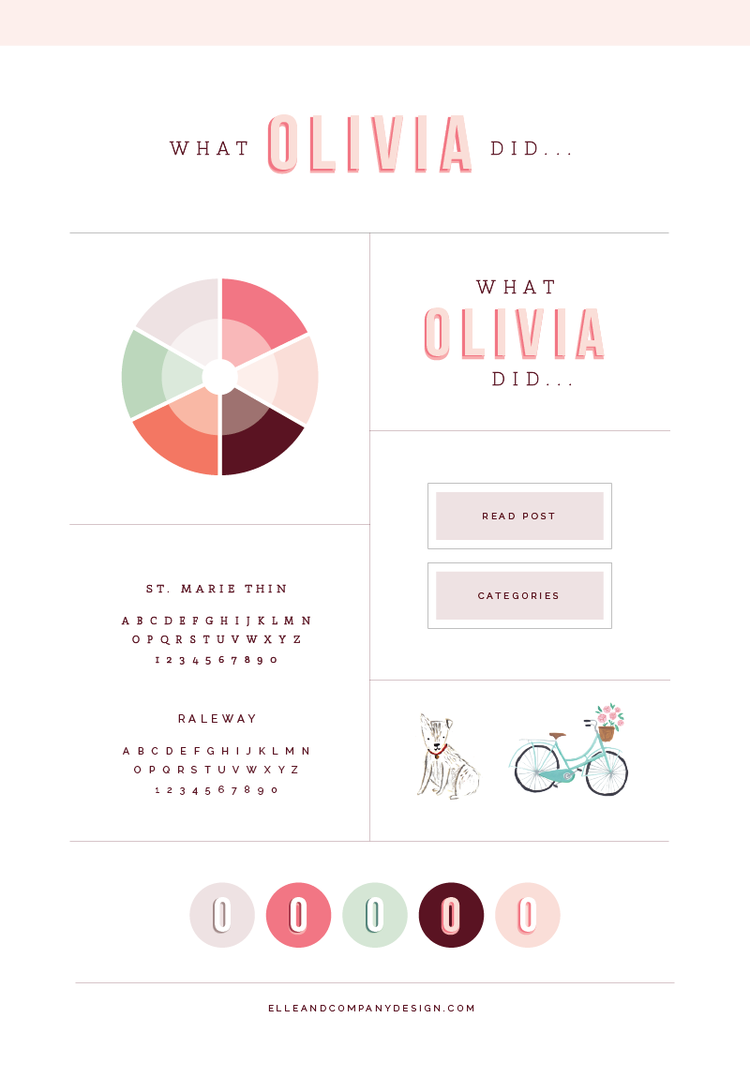
Much of the branding process takes place before my clients send me their initial design inquiries. The design direction isn’t developed in the inspiration stages when I pull images from their inspiration board or even when I look over their client homework; it’s developed far earlier.
Brands are developed at the start of a business through their interactions with their audience. They’re developed through every point of contact, whether it’s through an Instagram post, product offering, or the copy on their website.
My job as a designer is to identify the existing brand and display it visually.
Which is why designing for Olivia Purvis was an exciting opportunity.
“As entrepreneurs, time is our most valuable commodity. Money will come and go, but once you’ve invested your time into something, that time is gone forever. It stands to reason that if there are any actions we can take as business owners to free up more time in our daily routines, we should take them.” - Chris Ducker
Isn’t that the truth? The more time I put into Elle & Company and growing this business, the more I understand the value of time.
These past few months I put in 15-hour days, 6-7 days a week and I still wasn’t conquering every to-do on my list, so I knew I had two choices: to cut back or to delegate. I chose both.
It’s no secret that I love Squarespace. Not only is it easy to customize, easy to use, and easy on the eyes, but it makes the client process so simple for designers who use it to create client sites.
Because Squarespace is still relatively new and there aren’t as many designers using it as there are on Wordpress, I receive several emails each week regarding about the ins and outs of how I design client sites using the platform.
I get asked everything from how I handle billing to how I choose a template, so today I’m sharing an inside look at my Squarespace client design process from start to finish.
For those of you who are already designing sites in Squarespace, I hope you’re able to take something away that makes things simpler and more efficient on your end. And for those of you who are considering trying your hand at offering Squarespace site design in the future, I hope this post convinces you to take the leap and try it out.
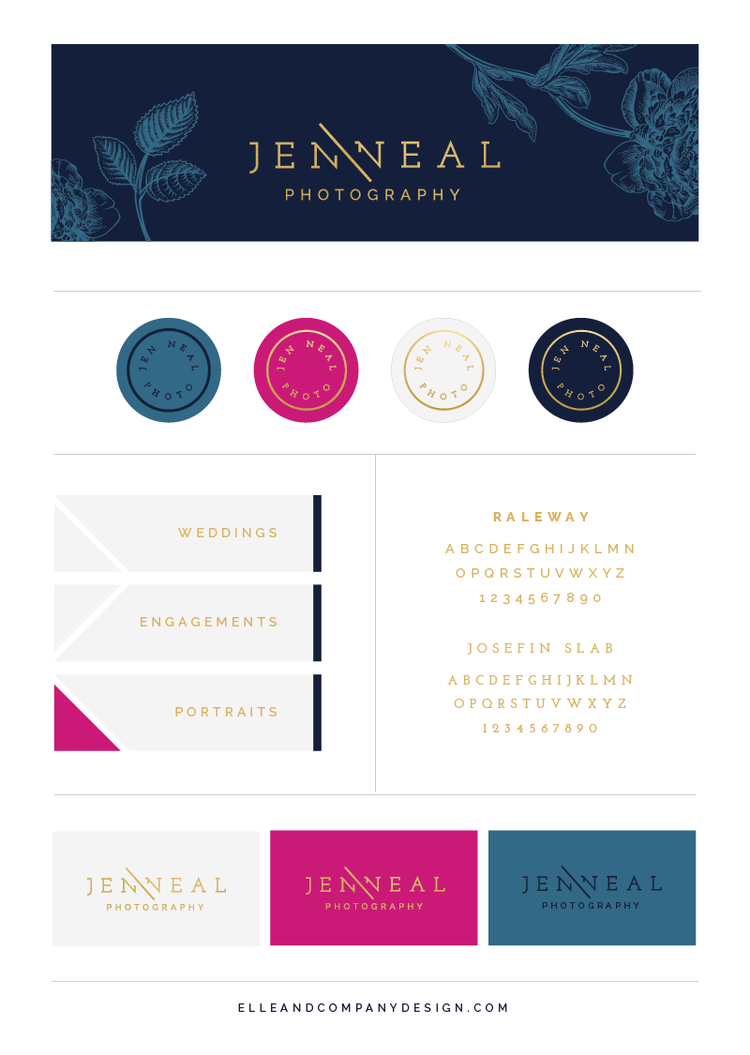
With every client branding project, I make it my mission to not only create a distinct visual identity for each business but to develop a system for how all of the design elements work together.
Not only does it make for a more polished, professional brand in the long-run, but it makes it much easier to implement a brand into my client's website and collateral items like business cards, social media images, product packaging, etc.
Jen Neal's new brand goes down as one of my favorite design projects because of the system we created with her vibrant colors, bold patterns, and classic typography. I'm excited to share the design process with you and offer a behind-the-scenes look at how I strategically incorporated each design element into her brand.
Blogging is a polarizing topic; it’s either one of those things business owners get really excited about or dread with a burning passion.
Those with negative opinions of blogging usually dread it for the following reasons:
- They don’t have the time
- They don’t feel confident in their writing abilities
- They don’t know what to blog about
- Or they underestimate the amount of beneficial content they can share
Do you fall into the dread category? If you do, I bet you can relate to one (or all) of the reasons above. And if you don’t, you might reach a place someday where your excitement about blogging begins to fizzle and the dread starts to creep in.
Explaining the benefits of blogging can be motivation in and of themselves to overlook those reasons and get started, but today I’d rather tackle the dread head-on and provide some practical, helpful ways you can make blogging work for you.
While I love helping all creative business owners, I get especially excited when I receive emails from other graphic designers and aspiring graphic designers about my process, how I got started in the industry, and my advice for finding clients.
I received one email last week from a design student asking me to share 10 insights on how to become a successful graphic designer. And as I was typing my response to her, I realized that many of you out there might be able to relate to many of these insights or glean something from them, too.
While these tips are geared toward designers, they can truly apply to any field. Here’s a look at 10 things I’ve learned from my 5+ years of freelance design experience.
October 2015
The benefits of using social media for business are obvious.
Social media platforms allow you to reach your target audience in the places where they hang out the most. They help you network with others in your industry (and stay up to date/keep an eye on what they’re up to). They give your audience the opportunity to follow along with you and it give you the opportunity to engage and communicate with them.
And, oh yeah, social media accounts are free.
But despite all of these excellent benefits, there’s one glaring issue with using social media for business.

Ever since I shared my 2-week design process on the Elle & Company blog a few months ago, I've received a ton of comments and emails about the ins and outs of how it works.
So we decided to switch things up a bit from our normal blog content with a video explaining the benefits of the 2-week process as well as some tips for how you might be able to implement it for your service-based business.
I remember all too well the days of working a 9-5 office job, sitting in my cubicle and dreaming of working from home. I longed for the days when I could run an online business from the privacy of my own apartment, ditch my long commute, work in stretchy-pants, and not have to pack a lunch.
The grass is always greener, isn’t it? While I’m extremely grateful that my work-from-home dreams came to fruition, I’m able to see a fuller, less-glorified picture of what running an online business looks like in actuality. There are numerous benefits, but there’s one aspect that’s been difficult for a people-person like myself - the lack of human interaction.
Sure, I receive tweets, blog comments, and Instagram feedback, but it isn’t quite the same as one-on-one, in-person conversation.
As a reader, you might experience this same problem from the other side as well. While I know reading this is awesome (am I right?), it’s not quite the same as sitting down to coffee with me and having a 2-sided conversation. In-person connections will always be a thousand times better than anything you can experience online.
And for an online business, this poses a problem. People want to support a business they can personally connect with.
Think about it: Why do people buy handmade clothes and jewelry from Etsy, drink craft beer, and shop local? They want to support a cause they can get behind instead of supporting a big, generic corporation. They want to put their money towards something they can relate with. Consumers are more interested in buying an experience than a product.
So how can you connect with your readers in a more personal way and provide an experience (while also adding a little more human interaction to your workweek)?
September 2015
As a business owner, your time is limited. You’re wearing several different hats and juggling many roles, each of which requires precious time out of your day. And chances are, you probably don’t have many hours to spare.
We’re all looking for ways to make the most efficient use of the 24 hours we’ve been given. So I’ve rounded up my favorite time-saving hacks - 1 for each hour of the day - in hope of helping you create a little more room in your busy schedule.

I’m all about organizing and creating systems to make business easier. So when we started getting everything ready for the launch of The Collaborative a couple months ago, I knew we needed to find a system for keeping up with submissions, due dates, to-do’s, etc.
We tried creating and sharing access to a Google calendar, but it didn’t help us keep up with contributors or cut back on the amount of emails that were necessary to communicate with everyone on board. Evernote was another option, but it wasn’t as simple or intuitive as we hoped it would be.
And then we heard about Trello, a collaboration tool specifically geared toward organizing projects. After doing a little bit of research to figure out how to utilize it best, we set up a free account and were amazed at how such a simple tool could have such a huge impact on the organization of our blog.
Those of you who blog regularly understand all of the moving parts and details involved with each post, especially if other people partner with you to create content. So today we’re sharing a behind-the-scenes look at how we use Trello to keep up with blog post ideas, create editorial calendars, and stay on top of all of our to-do’s for both the Elle & Company blog and The Collaborative.
When we announced our goal of striving to reach 100,000 unique monthly blog visitors last spring, we received some negative feedback from a couple of our readers.
“Your goal to 100,000 viewers seems a little 'out there.' Like you just want to be big and have a number attached to you. What’s wrong with having a small tribe? That's not a bad thing!”
And in all honesty, I used to have that same outlook on blogging and business when I first started Elle & Company. I shared the opinion that a small tribe of loyal readers was better than a large group of casual readers.
But I quickly realized that in order to create a successful, profitable business, I had to focus on bringing a larger number of people into my site and build trust with them to increase their loyalty.
There are all kinds of posts out there on the importance of utilizing a mailing list. And there are even more posts out there with tips and strategies for growing your mailing list.
But what happens once people opt-in to your newsletter? What kind of content will you be sharing with them in order to build trust and encourage them to buy from you or work with you down the road?
Here are a few ways to spice up your mailing list and raise subscribers’ excitement when they see an email from you sitting in their inbox.
There are several roles involved in running a business - boss, administrative assistant, social media strategist, marketing director, accountant, copywriter… the list goes on. Most days I find myself doing a strange, frantic dance, running around trying to keep every plate spinning.
If you, too, are in the throws of entrepreneurship, I’m sure you can relate. It’s tough juggling everything, wearing 20 hats, and keeping up with all the important details and deadlines.
That’s where this post comes in.
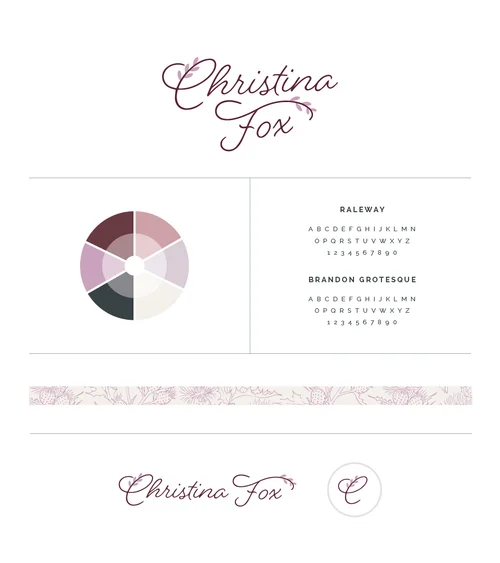
My 2-week design process has made things a little busy around here! I've booked over 20 projects for 2015 and it feels like this year has flown quicker than all the rest.
With little turnover time between clients, e-courses in full-swing, and the launch of the Collaborative in less than one week, I have a few fun brands that haven't made an appearance on the blog quite yet.
So if you enjoy Elle & Company client project reveal days, you're in for a treat. I have 3 new brands and websites to share with you today (along with a little snippet of the process behind each one)!

Remember that big, secret, exciting Elle & Company project I mentioned at the beginning of the summer? It’s time to let you in on a venture that’s been months in the making.
It’s no secret that I’m a big fan of Squarespace. It’s a fantastic option for business owners and bloggers who need a simple, beautiful platform for building a website. It’s mobile-friendly and user-friendly. There isn’t a huge learning curve for figuring out the back-end. And if you’d like to hear me go on more about all its benefits, you can read this post.
But because Squarespace templates are beautiful, simple, and easy to setup, many users have a hard time customizing their site and making it look one-of-a-kind.
That’s where today’s post comes in. I’ve compiled some of the most helpful tools I’ve discovered for switching up the look of a Squarespace site. Some of these might be new to you and some might already be built into your template, but I hope you’re able to walk away with a few new ideas for making your Squarespace site your own.
August 2015
Twitter chats seem to be a popular trend nowadays, especially among creative businesses and blogs. And for good reason; they’re a great way to build community, network with others in your industry, and gain some helpful tips and insights in the process.
But for those who are first-time chatters or new to the Twitter scene, these hashtags and conversations may seem a little foreign and often intimidating.
That’s where today’s post comes in. I’m going all-in to give you a simple overview of what a Twitter chat is, how it functions, and why it’s worth participating in.
For those of you who are familiar with Twitter chats and are considering hosting your own chat, keep scrolling - I share some tips for hosting a Twitter chat at the bottom of this post!
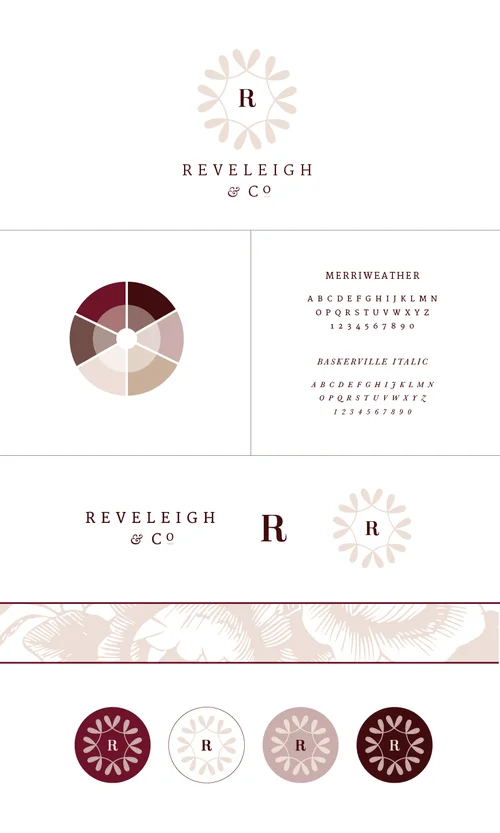
Back-to-back weeks of client launches? It's like Christmas around here!
My 2-week client process has been keeping me busy, and I'm excited to not only give you a look at the finished brand and website for one of my latest clients, Reveleigh & Co., but also share a behind-the-scenes look (and a video) at how I created it.

The scary, exciting thing about entrepreneurship is that business is always changing and evolving. When you're first getting things up and running, you might have a general idea of the services you want to offer and the clients you want to work with, but as you gain experience in your industry you begin to refine your offerings, your processes, and your brand.
It's always a treat to work with creative entrepreneurs who've spent a few years in business; they have a better idea of the clients they're trying to appeal to, the items they need to have designed, and the overall visual identity they're trying to achieve through their brand and website.
So when Amanda Jameson approached me for design work, I was thrilled. Her previous brand and website weren't cohesive with the quality and style of her work, so we spent 2 weeks partnering together to create something more fitting for her photography business.
The final product is one that I'm thrilled to reveal today (as well as a behind-the-scenes look at how it all came together)!
I emphasize high quality content often on the Elle & Company blog, and for good reason: it gives visitors a reason to return, increases shares and traffic to your website, builds trust with your audience, and in turn increases bookings and sales.
I also highlight the benefits of a streamlined client process, share posts on SEO (which, by the way, is the focus of this week’s Elle & Company newsletter), and stress the importance of an intentional social media strategy to funnel people back to your site.
But all of the above loses value if users can’t quickly and effectively find what they’re looking for on your website.
And that’s where today’s post on user experience design comes in.
There are many different directions you can specialize in as a graphic designer. In design school we got a taste of each one - packaging design, advertising, user experience design, web design - but I was always drawn to branding. I loved the idea of creating a cohesive visual representation of a business through fonts, colors, graphics, illustrations, and patterns. The organization and strategy behind it all was right up my alley.
But I never understood just how valuable brand design was until I started Elle & Company a year and a half ago. While blogging, marketing, advertising, and social media strategy have contributed to my business’s growth, much of it wouldn’t have been possible if it weren’t for a strong, recognizable brand.
There are innumerable benefits to dedicating time and resources into a streamlined brand. Today I’m touching on 8 of them with the hope that you’ll gain a better idea of the great impact a cohesive, well-designed brand can have on your business.
The more I work one-on-one with design clients, the more I understand the importance of communication, especially within a creative business. In order to clearly visually communicate the mission and purpose of a brand, I must first clearly understand the business behind it. And that happens through thorough communication on both ends of the client experience.
So I implement what I call “client homework” - a series of questionnaires and assignments that help me cover my bases and gain as much feedback from my clients as possible before the design process begins.
I highlighted the benefits of client homework and how I use it in this Elle & Company article a few months ago, and I’ve since had several requests for a look inside my questionnaires.
And while I’m usually very open about sharing the details of my 2-week design process and my custom project pages, I think this subject can be bridged in a way that’s more beneficial than giving you all my “answers,” so to speak.
Instead of sharing my own questionnaires, I want to guide you through creating your own client homework. And that’s where today’s post comes in.
If you were to take a snapshot of my business this time last year and hold it up to Elle & Company today, you wouldn’t think the two were related. In August 2014, my business was hardly profitable, my blog content was a compilation of anything and everything that interested me, and I was looking to other creatives in my field to determine my definition of success.
Thankfully, my business-minded husband, Jake, came on board and brought in strategy last summer, and his insight and wisdom transformed my business for the better. He helped me set bigger goals than I had ever considered for myself and came up with actionable steps to help me get there. And once we implemented those steps and strategies, my business began to grow exponentially with each new month.
I’ve heard from many of you who feel stuck on how to take your blog or business to the next level, so I’m here today with a look at the practical, actionable goal-setting strategies we used to grow Elle & Company.
This isn’t a lofty, flowery post to inspire; there are plenty of posts like that out there already. This is a post to encourage you to think bigger and become more strategic with your blog and business.
July 2015
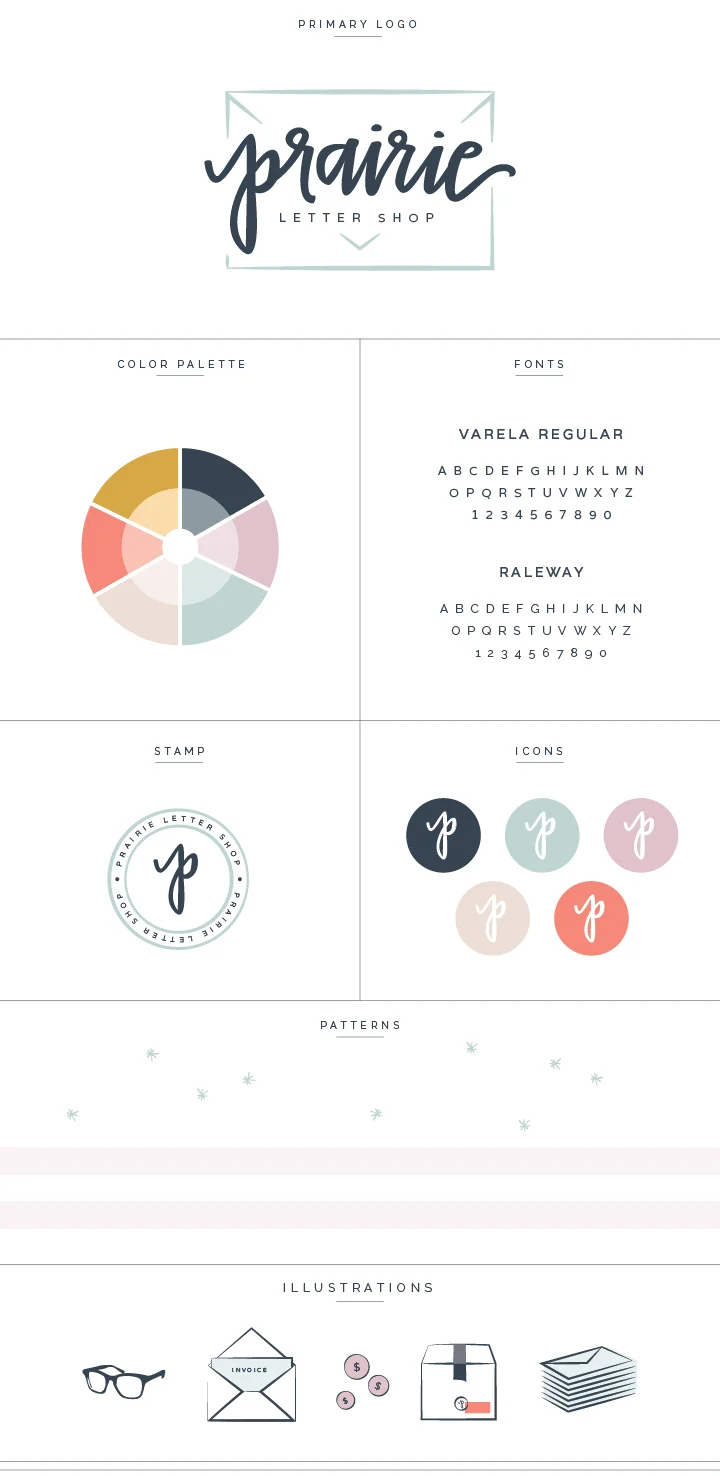
The night before a client launch day always feels like Christmas Eve around here. So much intention, time, and effort goes into a brand and website design on both my end and my client's end, and it's a good thing I only work within 2 week timeframes because the anticipation to reveal the final product gets me every time.
But while you can look through my design portfolio and get a glimpse at the final designs, you might miss out on my favorite part of the entire project: the process. Because while it might seem like design only involves creating pretty things, there's much more intention and effort that goes on behind the scenes.
So today I'm giving you a behind-the-scenes look at the creative problem solving that took place behind my latest design project for Alex Estes with Prairie Letter Shop. The hand lettering, bright color palette, and fun illustrations make this project one of my favorites to date, and I'm excited to walk you through the design process!
When I first started Elle & Company a year and a half ago, my design background gave me an edge in the areas of blogging and business. Because of my experience and training in design school, I was able to easily (and affordably) create my own logo, blog graphics, and website. I felt comfortable designing a cohesive visual identity for my new business.
But I quickly realized that this isn’t the norm. Many creative entrepreneurs, especially those who are just starting out, feel intimidated by design. They run into design needs often, but they don’t know how to create a strong, unified first impression for their audience. They’re often a tight budget, as well, and may not be able to hire an experienced designer.
So last winter I began to brainstorm ways that I could meet the design needs of bloggers and business owners. And that’s where the idea for these upcoming Elle & Company e-courses formed.
I’m excited to dive into the details of our upcoming e-courses and share some new dates with you today. I’ve built these courses with you in mind, to give you an advantage in the area of design and allow you to feel more comfortable and competent creating graphics for your blog and/or business.
E-courses are gaining popularity in the creative industry, and for good reason: they’re a scalable source of passive income. They may require more work at the outset, but they have the potential to bring in more money than service-based income sources in the long run.
If you missed my post on passive income a couple weeks ago, be sure to check it out here!
If you’ve been seeking to create another stream of income for your business or you’re hoping to take your business full-time, today’s post is for you.
I’m taking you behind the scenes of how I successfully launched my first e-course to bring in passive income. My hope is that these 6 simple steps allow you to work smarter, not harder, and take your business to the next level.
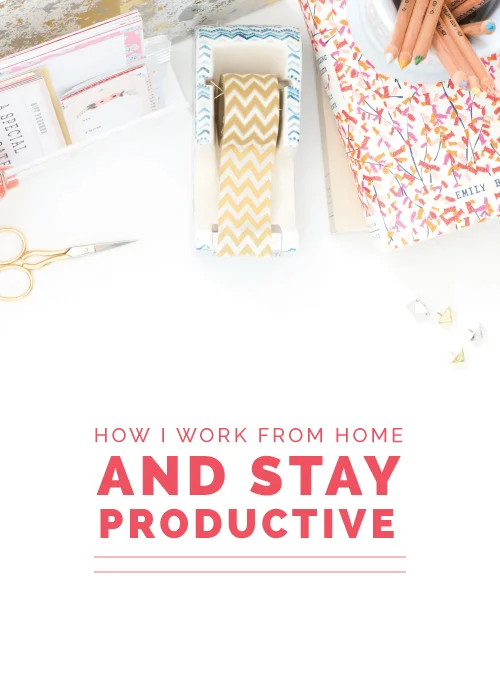
We all have the same amount of hours in a day. That’s why productivity tips are sought after and blog posts on the topic are often shared; with a limit on time, we all want to utilize and maximize the 24 hours we’ve been given.
Especially in business.
For the past year I’ve been working from home full-time, and although my schedule could always be improved and I will never have time management down to a T, I’ve learned a few tricks that have been helpful for me along the way. I also love getting a glimpse at the schedules of other creative entrepreneurs.
So today I’m sharing a sneak peek into my workday routine. Odds are that my workday schedule won’t be perfect for you, but I hope you might be able to glean a thing or two (and leave a comment with your best advice for making most of a workday).
It’s also important to note that this is an ideal workday. In a creative field, each day is different and things inevitably come up that throw off my daily routine. Some days you just have to roll with it and try to get back on track!
When I was posting each weekday on the Elle & Company blog, I was often asked how I continued to come up with blog post ideas.
My answer was always the same: I’ve found that the more I blog, the more I understand my audience and come across topics that would interest them; it actually gets easier over time.
I also know that business is never stagnant; there are always new lessons to learn. Industries evolve and there are always new changes and practices to come across. If you aren’t learning, your business probably isn’t growing.
While many of my posts are instructional and informational, they’re also indicative of where I am in my business and what I’m learning.
I write from experience and research so if you see an Elle & Company post on a certain topic, there’s a good chance that it’s been on the forefront of my mind at some point and important to my business.
The same is true for this post.
We’ve all heard the saying “work smarter, not harder.” I have been putting a lot of thought into how we bring in an income through Elle & Company, as well as how we can make the best use of our time.
Today we’re taking you deeper into what we’ve discovered and how we plan on making things easier for ourselves in terms of bringing in an income for our business.
While the goal of each Elle & Company article is to benefit you, I know that this one might be a game changer if you haven’t put much thought into passive income.
I’ve never met a blogger who wasn’t at least a little interested in their blog traffic, especially those who blog for business.
A higher number of visitors has the potential to open doors down the road, whether it’s a sponsorship opportunity, collaboration, job offer, book deal, client booking - the possibilities are endless.
But it isn’t always easy to find an audience and appeal to them. I remember the struggle all too well, so today I’m sharing 12 strategies that have proven to be effective for growing Elle & Company’s following. My hope is that they’ll make a large impact on growing yours, too.
If you took a look at the Instagram feed of a creative entrepreneur, you might think you have their day all figured out. Quiet mornings at a clean desk with a cup of coffee in hand, no commute, taking time to answer emails and catch up on social media wearing stretchy pants. Spending the day editing photos, writing blog posts, and sketching. Occasionally switching things up a bit with a workday at the coffee shop. Setting a customized schedule with built-in vacation days. Seems pretty ideal, doesn’t it?
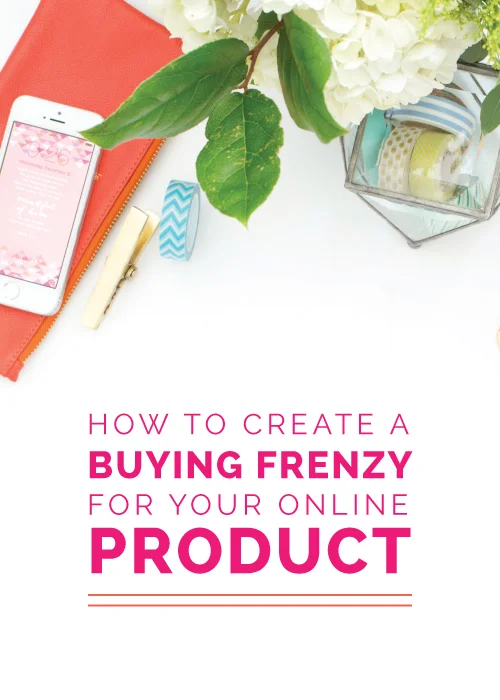
After months of increasing the quality of our content and growing our readership, I decided to put my hard work to the test with the launch of the first Elle & Company e-course this past March.
I was a little nervous; I knew it would be an honest look at whether the content marketing strategy that I had worked so hard to implement had truly paid off.
So I waited by the computer as the clock struck 12:00pm and our 40 seats went up for grabs. Less than 15 minutes later, I sat there shocked and excited as my first online product completely sold out.
My strategies for selling the e-course weren’t over the top or elaborate, but they proved to be effective. Today I’m revealing exactly what I did and how you can create a buying frenzy for your online product, too
June 2015
I’ve discussed why mailing lists are important and I’ve shared about the ins and outs of using Mailchimp, but there’s one crucial piece to effectively utilizing a mailing list that I haven’t covered quite yet: autoresponders.
It seems too simple, but email automation is one of the most effective ways to gain the email addresses of those who are truly interested in your products and services. In fact, one survey by the Lenskold Group and the Pedowitz Group says that automation increased the quality of leads that get passed to sales by 60% (source).
Autoresponders also help solve many problems within your business. Have you ever wondered how to automatically send a welcome message, freebie, or recent newsletter to new email subscribers? Maybe you’re interested in setting up a marketing campaign for recent customers or creating an email workflow for your clients.
If any of the above grabs your attention, today’s post is for you. I’m explaining the ins and outs of using autoresponders as well as some creative ways to use them for your business. Then I’ll take you behind the scenes for a how-to on setting up autoresponders in Mailchimp.
There were a few things I said I would never be when I grew up, and salesperson was near the top of the list. For some reason that word has always conjured up images of a not-so-trustworthy person trying to sell me something that I don’t need or have any interest in.
So you can imagine how horrified I was when I got off the phone with a potential client a few months ago and Jake remarked that I was “quite the saleswoman.” Saleswoman? Really?
But the more I got to thinking about it, the more I realized how much of my job has to do with selling. And there’s no way around it; in order to create an income and keep my business afloat, I have to sell my products and services.
As a designer, it’s easy (and very tempting) to make updates to my brand and website regularly. And when I first started, that’s exactly what I did. But over time I began to see how important consistency can be within a brand, even within the smallest details.
Until this past Sunday evening, the Elle & Company site hadn’t seen any significant updates in well over a year. I had been making a long list of updates and additions with the intention to make the changes in one fell swoop.
I jumped at the opportunity of using my off-week in between clients to to make the changes, and with all of the exciting things in store for Elle & Company this summer, the timing couldn’t have been more perfect.
Building a loyal audience is a popular topic these days. As bloggers, we all desire to have a following that’s interested in what we have to say and engages with our content. And as a business owner, I know that the more engaged my audience is and the more they interact with my blog and business, the more likely they are to book my services, subscribe to the Library, or purchase a seat to my e-courses down the road.
We all know that growing a loyal audience is essential, but the hangup isn’t in the why; it’s in the how. So today I’m sharing 15 easy ways that I’ve found helpful for growing your blog tribe.
Jake and I were shocked by the response to the latest Elle & Company newsletter.
It had been a week or two since we sent out our last newsletter because of a fast-paced move and 2 weeks without internet, and we also skipped a couple weekday blog posts in the mix, too. While I was stressed about falling out of our routine and breaking my one and a half year streak of blogging 5 days a week, I was stunned to see the impact that inconsistent blogging had on our site analytics.
So, we shared about it in Monday’s newsletter.
While there's definitely creativity and a basic design knowledge involved in creating a one-of-a-kind logo, there's also a system behind it all.
I've always been curious about how other designers go about their creative process, so today I’m taking you behind the scenes to give you a peek at what my logo design process looks like from start to finish.
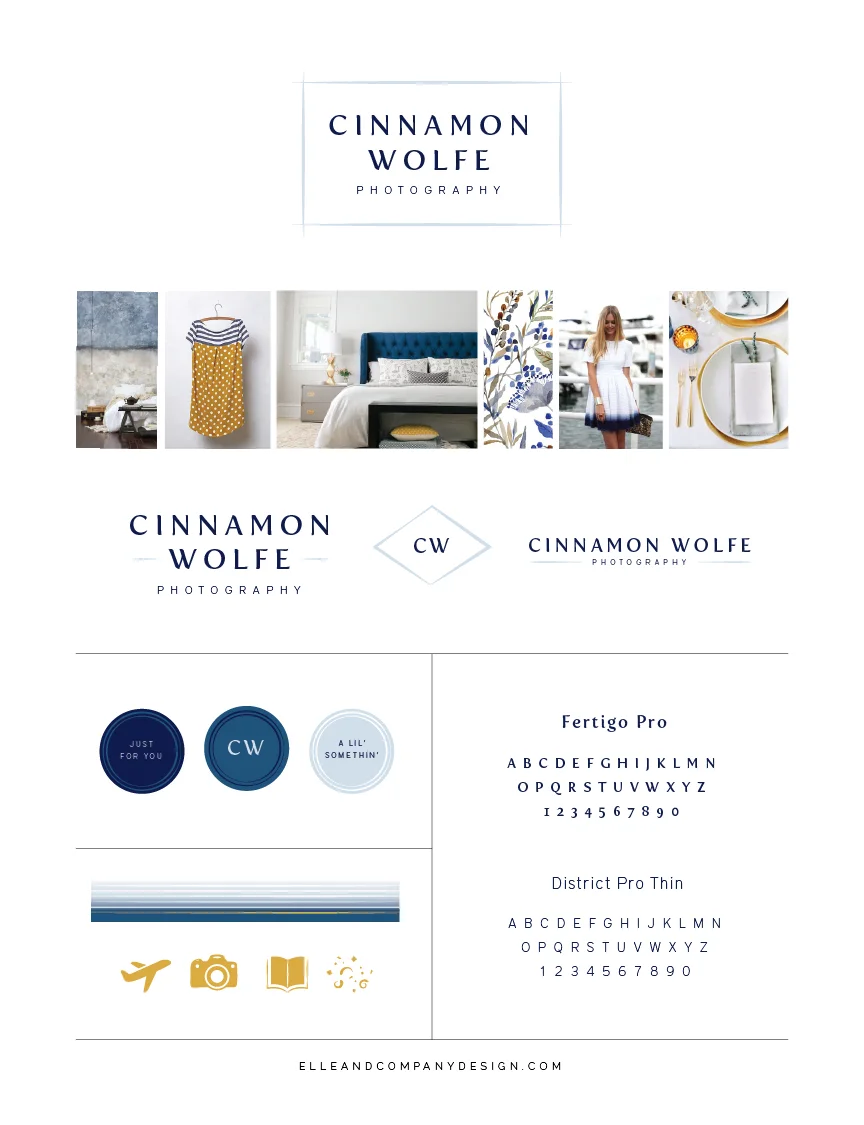
A brand is like a person; it has a distinct style and character that's all it's own. It has a unique tone of voice, it uses certain words more often than others, and it has its own unique way of "dressing itself" to make a great first impression.
My job is to help with that last part - "clothing" a business through its visual identity.
If you've been following along with the Elle & Company newsletter, you've probably noticed the large role that website statistics have played in our business.
Although numbers aren't everything, analytics help us set and track goals for this blog by seeing which sites our traffic comes from, which posts receive the greatest amount of interaction, and how long visitors are staying on our site.
While Squarespace provides a great overview of site statistics through their metrics, Google Analytics provides a more in-depth look. Thankfully, Squarespace easily syncs up with Google Analytics, and today Jake's walking you through the set up.
We’re all visual people to some extent, so it’s no wonder that Instagram is all the hype these days. The social media platform is addictive, free, and fun to use, which has great implications for creative businesses; it allows you to showcase your work/products in an unobtrusive, attractive, and personable way.
As a designer, Instagram has been especially helpful for my business. Several of my past, present, and upcoming design clients have found me through Instagram, and the larger my following becomes on the platform, the greater chance I have of drawing in clientele and blog readers.
This time last year I was close to reaching 1,000 followers, and today I’m somewhere around 11k. I’ve received several inquiries from readers lately who’ve asked me how I’ve grown my Instagram following, and although I’ve shared a couple posts in the past about Instagram landing pages and how to create the quintessential Instagram feed, I’m going in a little more detail today to share 6 things that I attribute to my organic increase in followers.
If you’ve been following Elle & Company for any length of time, this won’t be the first time you’ve heard me talk about high quality content. I use that term often around here for one primary reason: it has the potential to revolutionize your blog and business.
I’m living proof of this. A year ago I was struggling to find my niche and my voice on the Elle & Company blog. It wasn’t until I had a few revolutionary breakthroughs and started to focus on high quality content that things began to pick up.
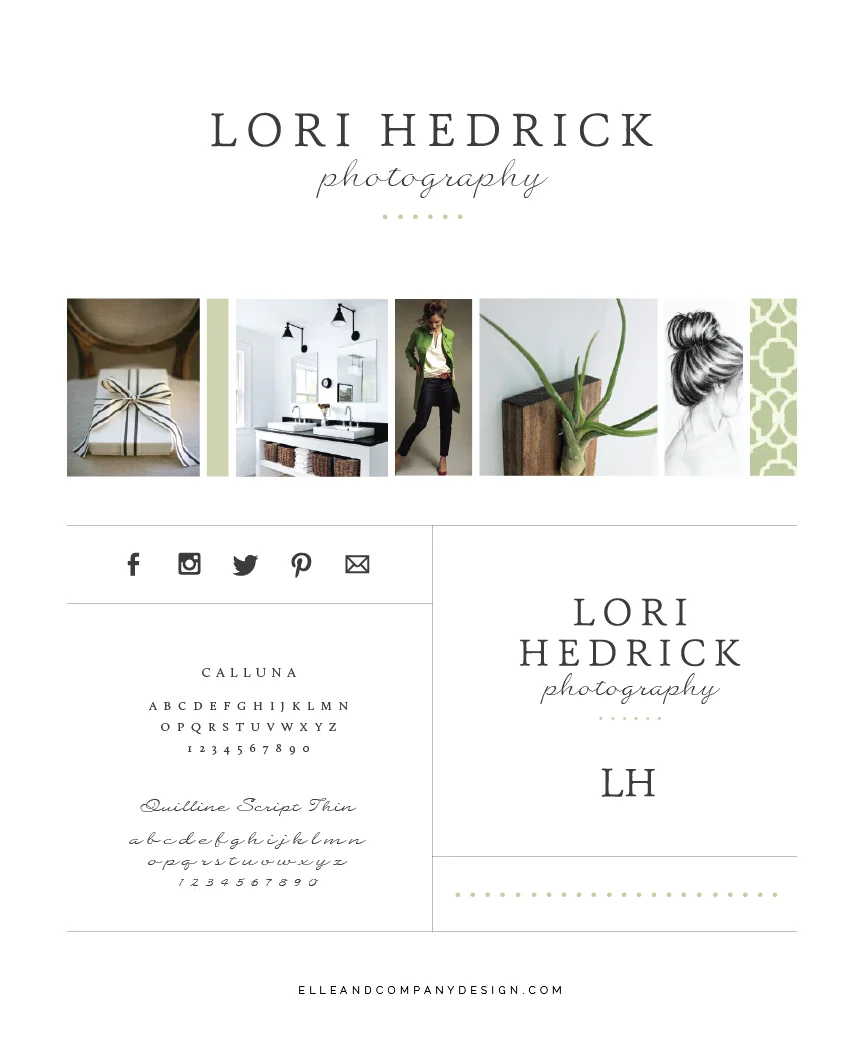
Before my 2-week design process begins, I have each of my design clients fill out a series of questionnaires about their brand, process, and website. One of my favorite, most telling questions seems so simple, but I refer to their thoughtful responses throughout the entire design process. What are 10 adjectives that best describe your brand?
Lori Hedrick described hers as real, close, caring, happy, familiar, easy, rich, and true. I'm excited to show you how those seemingly simple words have played out into Lori's beautiful new brand and website!
A few months months ago, Jake started encouraging me to up my game on LinkedIn because of it's power for marketing and networking. Truthfully, I didn't understand much about the social network and underestimated it's usefulness... until I received these 2 messages from LinkedIn within hours of each other:
"I actually came across your LinkedIn profile as I'm looking for a Web Designer to fill a permanent position with one of my clients. Wasn't sure if you might be interested? Look forward to hearing from you! Thanks, L"
"Hi Lauren! I hope this finds you well. I would like to speak with you about a Visual Design position with Lowe's Home Improvement. Would you be interested? Please let me know! Thanks! Alexandra"
A week or two ago I wrote a post on 5 of my greatest design challenges, and I was sweetly surprised by the response I received from readers. It’s nice to know that my struggles are relatable, and I loved reading through the feedback from all of you.
This week I thought it would be fun to share a similar post on a different topic: business. If you’re an entrepreneur and creative business person, I have a feeling that you can probably relate to a handful (if not all) of these, too.
If there's one thing I've learned these past few months about business, it's that strategy is fundamental to growth.
When I first started Elle & Company, I was a 23-year old graphic designer who aspired to work full-time for myself. Even though I grew up in an entrepreneurial household, my dad's business venture and mine are very different. I didn't know the first thing about pricing, taxes, and marketing, and I was convinced that the passion I had for design would be enough. I saw many other women starting creative businesses with some success, and I found myself looking to them for how I should be running my business.
I had no business plan, no goals, no strategy. So inevitably, I failed miserably.
May 2015
In the past couple weeks, several people have reached out to me with the same question I received from Leslie a couple days ago:
Hi Lauren, You may have addressed this in a post already, but is it your priority to increase the traffic on your site versus building your email list? If you've talked about this before... please point me to it. Love your work and wisdom! - Leslie
First, thank you Leslie! This is a great question, especially since many successful business owners and bloggers are stressing both the importance of increasing web traffic and building an email list. And while both of them are extremely important, you're correct in noticing that for Elle & Company, we put more time and effort into growing our blog audience. Here's 3 reasons why.
Last month I introduced a new Elle & Company blog series called the Business Book Club. My hope with this series is to start a discussion, challenge one another to dive into great business resources, and learn more from the pros on what it takes to grow a successful business.
The first book selection for May was Purple Cow by Seth Godin. Although this book is small (I finished it within a few quick flights between Charlotte and Grand Rapids), it's dense. It would take several posts to cover all of Godin's great insights and examples of modern marketing, so today I'm highlighting my biggest takeaways from the book.
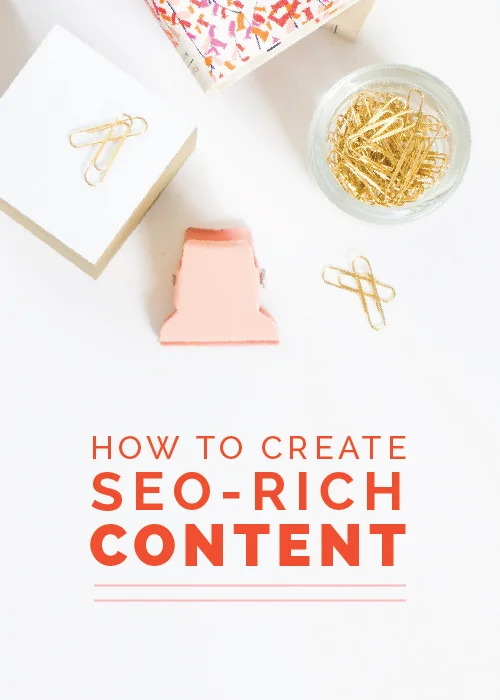
If you ask 100 people about SEO, you might get 100 different answers. And frankly, it all depends on what you're trying to accomplish through your blog or website. We can relate to the uphill battle of trying to get your content in front of countless people through search engines, so today Jake and I are partnering together to share how you can create content that will rank higher in search engine results.
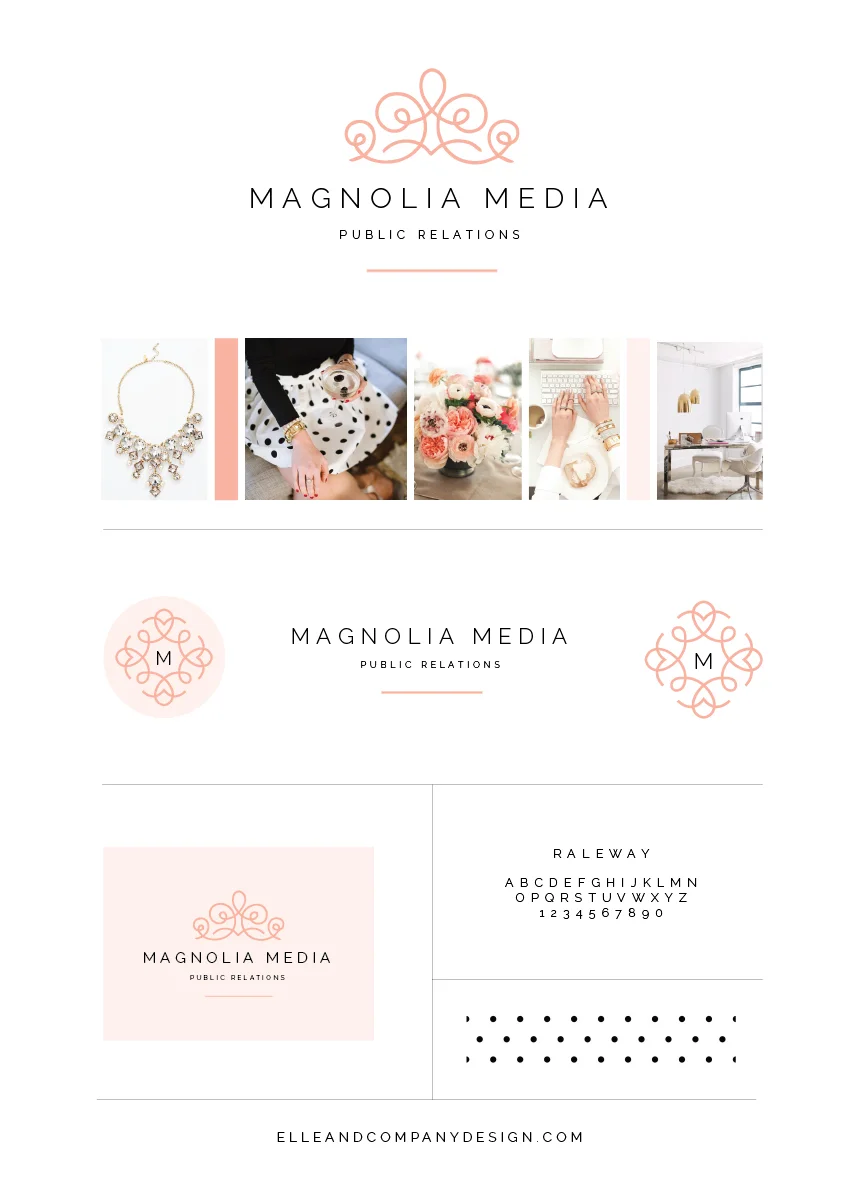
While branding has many benefits for a business, some of the greatest are differentiation, recognizability, and memorability. So whenever I approach a new project, I challenge myself to push the limits and design a brand unlike any other I've designed in the past and unlike any other I've seen from other designers.
My 2-week design process has made this challenge easier by allowing me to focus solely on one client at a time and pour into all the fun details. Today's new brand and website for Magnolia Media PR is no different, and I'm excited to show you the final designs!
We were blown away by the number of readers who participated in last week's annual blog survey. Thank you again to those of you who gave up a couple minutes of your day to weigh in with some feedback. It was extremely helpful to read about what you enjoy most about Elle & Company and learn what we could be doing better, but it was even more fun to get to know you and read about your interests. We really appreciate your honest answers and we're very thankful that you've been following along.
It wouldn't be fair to keep the results to ourselves, so we're sharing them on the blog today (along with the help of the new Squarespace chart block). Here are the facts about you!
Although I've been blogging for over 3 years now, I've learned the most about blogging over the past 6 months. I've never poured this amount of time and energy into a project, and I spend at least 3 hours each day preparing content for this space. It's been trying, rewarding, and exciting seeing this blog grow over the past several months, and I love sharing what we've learned with other creatives and entrepreneurs. Blogging has become fundamental to our business, and Jake and I can't stress the importance of it enough.
Today I'm sharing 25 of the biggest things we've learned since we took a more serious approach to blogging last November. I hope that these insights might help you with your own blog and save you all of the trial and error that we've had to go through!
Have you ever wondered how to get related posts to show up below each of your blog articles on Squarespace? Maybe you’re looking for a fast way to add featured posts to your sidebar or you’d like to create an easy archive page for your site.
The answer to all of the above lies in my favorite Squarespace tool: the summary block. Today I’m taking you behind the screen to show you how to use the tool and get creative with it to meet many of your website building needs.
One of our favorite insights from last week’s reader survey was reading about the areas that we could improve on in our blog and business. Many of you had some great constructive criticism and an even greater number of you requested posts on specific topics, like the challenges I’ve faced as a designer, blogger, and creative entrepreneur.
So today I’m jumping in and getting a little more personal by sharing some of the greatest design obstacles I’ve experienced both in design school and in business. You may not be a designer yourself, but I hope that you’ll be able to relate to these challenges in some shape or form.
Passion gets you started, but strategy keeps your business running. Successful entrepreneurs know that in order to pursue what they love, they have to be smart about how they operate their business. And a business cannot operate without money.
Money can be an uncomfortable topic, but it’s a necessary part of entrepreneurship. While I love my job and consider myself blessed to design for clients all day long, Elle & Company is a business, not a hobby. In order to keep things running and bring in a steady income, I’ve had to be strategic and intentional about how I generate a profit from this business.
In typical Elle & Company fashion, I’m laying it all out for you in today’s post. Here are some insights on how I’ve created a consistent income from my freelance business.
While I typically aim to share helpful posts on the blog each weekday, today I’m flipping things around and inviting you to take part in our annual Elle & Company reader survey!
This is your opportunity to jump in and tell us more about yourself, let us know why you read this blog, and weigh in on what you hope to see from us in the upcoming months.
Jake and I have some big goals and large changes in store for Elle & Company in the near future, all of which work toward becoming an even greater design, blogging, and business resource for you. That’s why your feedback is even more valuable; we want to know how you found us, where we can improve, and why you keep returning.
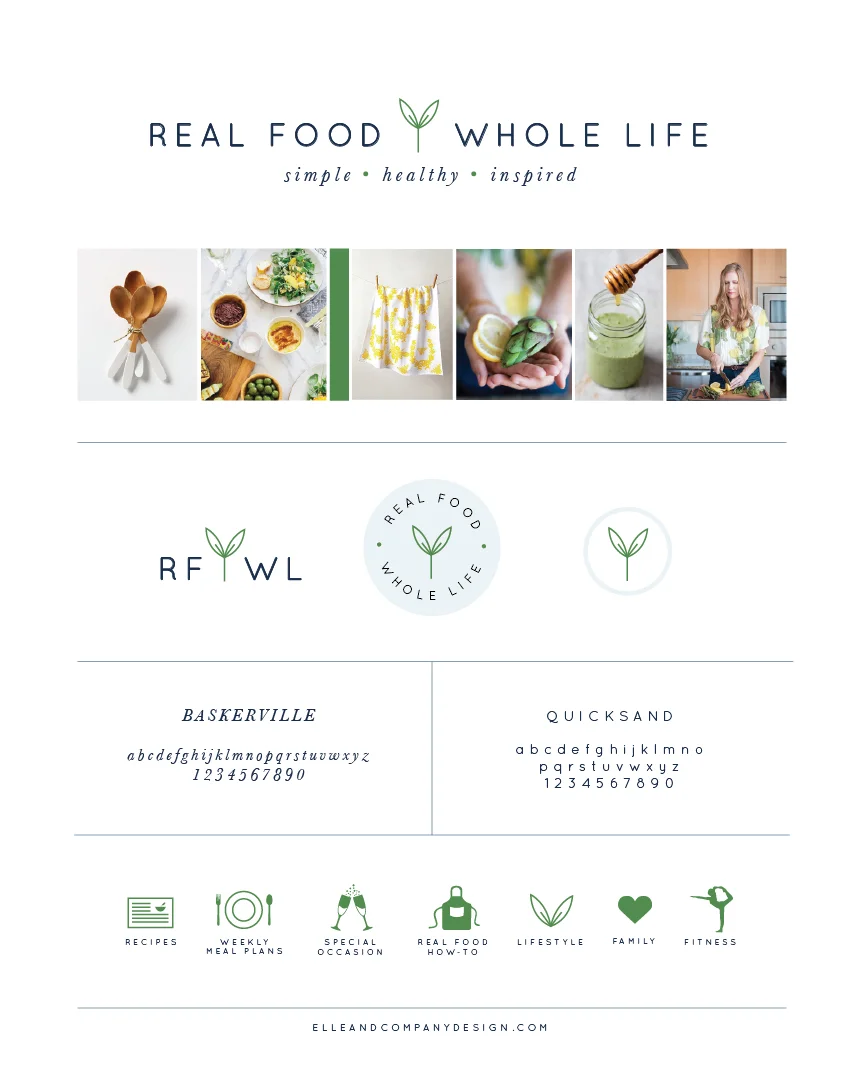
Around the first of the year I received a design inquiry from the blogger behind Real Food Whole Life, Robyn Downs. After our initial consultation, it was clear that Robyn and I would work well together. Not only is she extremely organized and intentional, but Robyn has a great amount of drive behind what she shares on her blog; her passion for nutrition and leading a healthy lifestyle is contagious (so much so that I've been following along with her helpful meal plans). Our 2-weeks together resulted in a new brand and website that reflects her passion for healthy living and attention to detail, and I'm excited to share the process and final design in today's post!
I’ve recently shared a handful of posts on my client experience, from my 2-week design process to my custom project pages and the program I use to keep track of contracts and invoices. While I know that what works for me might not work for everyone reading this, my hope is that there might be a few insights within these articles that benefit you and make your process easier, more streamlined, and less stressful.
Up until this point I’ve shared all of the preparation, planning and organization that I perform on my end. But I’ve learned that in order to do my job well and provide my clients with my best work, it’s just as important for my clients to prepare, plan, and organize on their end, too. In order to help them gather all of their information and walk them through everything that I need for their designs, I’ve implemented a little thing that I like to call “client homework.”
For those of you who are new around here, there’s something you should know about me: I’m a huge fan of Squarespace. I switched over to the platform a couple years ago after using both Blogger and Wordpress, and I’ve never looked back. I started the Elle & Company site on the Squarespace platform and I’ve been so pleased by the simple interface and gorgeous template designs that I highly recommend it to every design client and blog reader. I also wrote a blog series on it a couple months ago that included 2 free webinars, all of which are recorded and shared here.
Somehow, in all of the many features I shared with you within that series, I left out one of Squarespace’s most functional capabilities: e-commerce. Today I’m giving you a look at how easy it is to set up shop using Squarespace.

Instagram is currently the fastest growing social media platform. It started as a simple photo-sharing app among friends, and it has since grown into a community of over 300 million brands and consumers. For business owners and bloggers, it's silly not to be engaging with followers on Instagram through likes, follows and comments; an active audience is right at your fingertips.
Since Instagram is all about visuals, it's important to have a professional, branded feed. We all appreciate those accounts with the seamless, gorgeous images, but we may not know exactly how to get our own feed looking cohesive and one-of-a-kind. Today I'm sharing a few fundamental tips to get you started in the right direction.
Successful entrepreneurs understand that in order to do well, they can’t go it alone. Networking is a key part of not only reaching new audiences and gaining referrals, but it’s also beneficial for building relationships and combining forces/talents. I’ve learned that one of the most fundamental ways to truly connect with other industry professionals is to demonstrate authenticity.
Here are 12 ways that you can genuinely network with others in business.
A couple weeks ago I shared my simple, unexpected method for streamlining my client process. And while client pages on my website are a great way to keep revisions, drafts, and final files all in one place, there are some functions of my client process that my clever client pages just can’t perform: electronically signable contracts, invoicing, time tracking, and automated workflow.
Thankfully I’ve found another simple solution that takes care of everything that my client page doesn’t: a project management website called 17Hats.
In creative entrepreneurship, we’re used to seeing the same method of launching a product or service. It usually starts one of two ways: either you have a passion and you decide to build a business around it, or you have a genius, one-of-a-kind idea and you decide to build a business around it. You spend countless hours pouring into concepts and making plans, you try to build hype and excitement by spreading the word to friends and family and networking with others in your industry, and then you present it to the world. And once you’ve done all of the legwork and your business is up and running, then you focus on drawing in an audience that would be interested in buying your products or booking your services.
But what if you reversed that order? What if you’ve been doing things backwards and making product launches more difficult on yourself all along?
Curating images is a crucial part of branding that’s always noticed but not often considered (and by curating, I’m referring to exercising intention in the way images are laid out and organized within a group, like a Pinterest board, Instagram account, or even a blog archive). All of your images are a reflection of your brand as a whole, and putting thoughtful consideration into how these images are grouped and displayed can go a long way in making your blog or business appear professional and legitimate, especially across your social media accounts.
We’re all very visual, and we appreciate well-curated groups of images. But the trouble isn’t recognizing streamlined accounts and brands; it’s figuring out how to take our accounts to the next level and curate our images to reflect well on our blog or business.
And that’s where today’s post comes in.
In early April we let you in on one of our biggest goals for Elle & Company in 2015: reaching 100,000 unique blog visitors in one month. We’re focusing on numbers and stats because we have some big long-term goals in store for our business, and we need to grow our audience in preparation for them.
We know that many of you are working on expanding your reach for your blog and business, too, so we invited you along on our journey through our weekly newsletter. We’ve spent the past few weeks giving subscribers weekly updates on the strategies we’re implementing to grow our audience as well as a look inside our analytics. In addition to the newsletter, we’re doing one big monthly recap on the blog.
So how did April go for Elle & Company? Are we any closer to our 100k goal?
There’s nothing worse than feeling behind in your work, especially when you’re juggling multiple client projects. Trying to keep up with 5 client timelines and deadlines at once can be stressful for a type-A designer, and being in a creative field where inspiration and ideas don’t always flow freely makes it even more difficult.
Last fall, after listening to me vent about stress, Jake threw out an idea. “What if you only took on one client at a time and cranked out their project in 2 weeks?” I responded by giving him an incredulous look and a laugh; he clearly had no idea how the design industry works. No one works with one client at a time, and if they do, they definitely don’t finish an entire brand, 4 collateral items, and a website in 10 workdays. That’s crazy!
April 2015
Last week I introduced a new series on the blog geared toward learning Lightroom. There are many bloggers out there sharing insights on how to take professional photos, but editing photos can be just as important as capturing photos. While I’m no expert at either of the above, I do know Adobe Creative Suite well, so I’m teaching you the ins and outs of Lightroom over the next several Thursdays! In case you missed it, you can view the last Lightroom post here.
This week I’m giving you a look into the Lightroom workspace. While this may not be as exciting as learning how to develop and edit your images, knowing the workspace well allows you to optimize your workflow and work efficiently in the software; it lays a foundation that we’ll build upon in the coming weeks.
As a blogger and business owner, I strive to be strategic and purposeful with my social media accounts. I have a slightly different audience on each account, which means that my approach to each one is slightly different. On Instagram, my audience is a wide mix of blog followers, design admirers, and friends and family, and as a result, it’s my most personal account. I share a variety of behind-the-scenes looks at my day to day, new projects, and occasionally a photo or two of my fur-child, Heidi. My audience on Facebook is slightly less varied and consists mainly of bloggers and business owners. I primarily share blog posts and announcements with the occasional quote, feature, or #ellechat reminder.
But until a few months ago, I didn’t have a strategy - and as a result, an audience - for Twitter other than pressing that “Share on Twitter” option within Instagram. I didn’t understand Twitter, and I definitely didn’t comprehend what an excellent opportunity I was missing out on to reach other creative entrepreneurs and bloggers. So I came up with a plan, and I shared it on the blog for accountability (and a hope that I might encourage others to get on board with Twitter, too).
It’s been 3 months, and I’m checking back in with a look at how this new strategy has panned out and paid off.
When I was 6 years old, my dad bought a gym in our small hometown. He spent the next 15 years pouring his time and energy into that business and as a result, the gym was my second home. I remember playing with Barbies in my dad’s office, working at the front desk in high school, and teaching aerobics classes in college. Many gym members watched me grow up there, and they would occasionally ask me if I would take over the business someday. My reply was always an emphatic no thank you; I swore up and down that I would never, ever own my own business.
And now here I am several years later, eating my words. I’ve grown to have even more respect for my dad as I navigate entrepreneurship, and much of what I’ve learned about business I learned through watching my dad pour his heart into helping others. Even though our businesses are very different, there are some overarching business lessons that I’ve found practical and beneficial across all industries and generations. I’m excited to switch things up and share a few of those with you today.
When it comes to a new business launch, my motto has always been go big or go home. Whether it’s a client’s new brand and website or the launch of a new Elle & Company e-course, the time and effort behind big projects is worth celebrating. Not only are new launches a great opportunity to get your audience excited about your business, but they can also expand your reach and help you draw in a larger audience. And even more importantly, big launches can result in big profits.
It’s always a good idea to create excitement around your business, so today I’m sharing 11 practical ways to generate hype around a new launch.
It’s easy to equate someone’s success with their number of Instagram followers. We all do it, even if we’re unaware, when we click on a profile and see that someone has 30,000 followers. They must be pretty important and successful, right? But the longer I’m in business, the more I understand that thousands of Instagram followers amount to nothing if they aren’t engaged, rarely visit my website, and never book my services. It’s much better to have 100 loyal followers who show interest in what you’re doing than it is to have 10,000 followers who could care less.
And while it’s not a bad thing to grow your audience and expand your reach, I think more of an emphasis needs to be placed on content and strategically sharing posts that drive traffic to your blog and website. There’s a way to do this authentically - I don’t believe you have to put a sleazy sales pitch in every photo and description - but if your Instagram account is connected to your business, it would be silly not to use it point people back to your home base: your blog and website.
The design of your website and the quality of your photography can make all the difference in a first impression of your blog or business. Think about your favorite blogs and brands for a moment; what is it about their websites and social media accounts that make them stand out and appear professional? Usually it’s in their design and photography, which is becoming increasingly important in today’s visual society. If you want to be taken seriously and be seen as a professional, design and photography can go a long way.
I’ve made an effort to help creative entrepreneurs and bloggers with design through offering the Adobe Illustrator e-course, but photography is another key aspect to the visual appearance of a brand.
Pricing is time and time again one of the most difficult things to nail down as a business owner. You price too low and you aren’t able to make ends meet, but you price too high and you run the risk of scaring potential clients away. You’re faced with other tough questions as well, like will you charge per hour or per project? Will you require a down payment? Will you offer payment plans? Will you post your prices on your website or will you require visitors to inquire in order to receive a pricing guide?
Unlike many of my posts, this article isn’t a how-to; each business is different and should approach pricing carefully based on its goals, experience and clientele. Instead, I’m sharing my simple, straight-forward approach to pricing that’s allowed me to increase my prices, attract my ideal clients, and feel confident and content with what I’m charging. Although we might differ on a couple things, I hope these insights will help you be a little less intimidated by pricing your services.
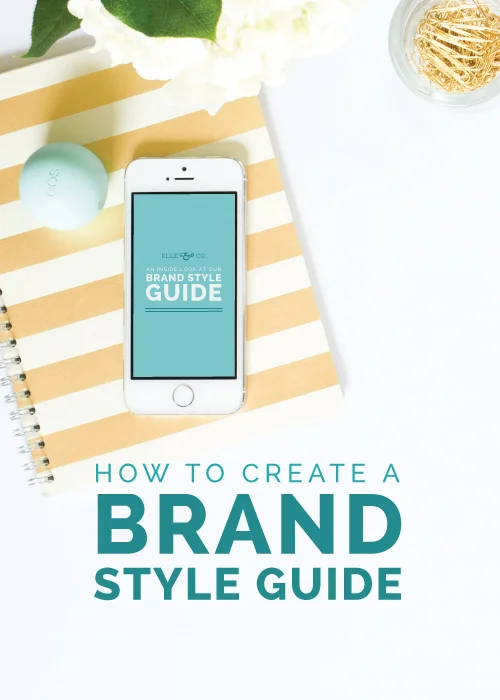
Between my sophomore and junior year of college, I interned at a marketing company in their design department. On the first day of my internship, I was shown to my temporary working space where the company’s brand style guide was waiting for me on my desk. It was a quick way for me to learn the design standards for the company’s brand, and it made it much easier for the designers and interns to stay on the same page and create a cohesive visual identity across all platforms and mediums.
When I started at my first full-time graphic design position right out of college, I opened my inbox on my first day to find an online PDF of the company’s brand style guide. And again, it was a quick design reference that I returned to time and time again.
I came across an article on Inc.com last week that caught my attention: What College Degree Will Make You Rich? I was shocked to read that 32 percent of billionaires - among whom are Oprah, Steve Jobs, and Mark Zuckerberg - don’t have a college degree. And if that isn’t surprising, maybe this next fact will be: Twice as many billionaires have degrees in the arts than those who have degrees in math and science.
The article brought up some legitimate questions that I’ve been wrestling with. How relevant are college degrees today, especially among creative entrepreneurs?
I can get carried away at Barnes and Noble, especially when it comes to books in the business section. A few weeks ago Jake and I walked in just to take a peek around after dinner out and left with 3 new items to add to our reading list. I believe that it’s important to be a student of your field, no matter how many years you’ve been in business or how much experience you have. So today I'm sharing a list of 7 business books that I've either read recently or hope to read in the future. Be sure to keep scrolling all the way down this post to learn about a new related Elle & Company feature!
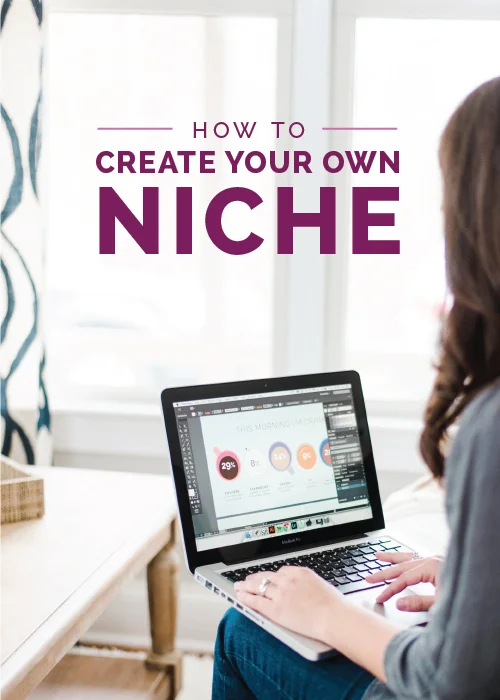
Finding Your Blogging Niche has been one of my most highly viewed posts to date. Readers keep sharing and coming back to this post that I wrote months ago, not because I shared ground-breaking information or did a fantastic job writing it, but because I believe finding a niche is one of the greatest struggles for entrepreneurs and bloggers. Especially when you’re first starting out, it’s hard to find that groove and zero in on a focused group of people to write for and market to.
While I agree with the information I shared in that post, I’m admitting today that I took the wrong approach to the subject. Because the longer I’m in business and the longer I contribute to this blog, the more I realize that it isn’t about finding a niche; it’s about creating one.
When I first launched my branding services at the end of last summer, I struggled to find a way to streamline my client process. Many colleagues and bloggers suggested a couple different options and programs for keeping up with client communication and deadlines, but their systems never clicked for me. And like most creative entrepreneurs who are just getting started in their industry, my funds were tight and I couldn’t spend a large amount of money on project management software.
So instead of going along with what everyone else was doing, I used some creativity to develop my own system. I’m sharing it with you today knowing that my system might not work for all of you, but hoping that it encourages you to think outside of the box and come up with a clever way to make things work for your business.

Last week I shared my secret for rapidly growing my business. Many people are often surprised to hear that blogging has been fundamental to growing an audience, developing a loyal following, making the leap to full-time, and gaining credibility in my industry. The benefits of blogging are numerous, but the hardest part of blogging isn’t in understanding why it’s important; it’s learning how to approach it and come up with a way to diversify content from the millions of other blogs out there. So today I’m sharing some tips for how to successfully blog for business.

For those of you who have been following along with Elle & Company for any length of time, you’ve probably picked up on my love of Adobe Creative Suite. Not only do I use many of its programs for my design services, but it's been extremely useful for blogging as well. I’ve received several questions about the entire creative suite since I launched my Adobe Illustrator e-course last month, so today I’m breaking it down for you by highlighting its benefits, overviewing my favorite apps, and explaining the plans for Adobe Creative Cloud.

As a blogger, there are several tools I use on a regular basis that help me streamline my process and publish new posts each weekday. I always find it interesting when my favorite professionals and creative entrepreneurs provide an inside look at how they get their jobs done, so today I'm giving you a look at 10 things I can't blog without.

Studies show that 90% of all of the information transmitted to the brain is visual. Many of us are visual learners, so it's no wonder that infographics have become increasingly popular among blogs and businesses. They create interest and engagement among an audience. they're more visually attractive than pages of text for sharing information, they're more likely to be shared, and they're also a great way to break up and vary the content on your blog.
Infographics can be used in numerous ways to display information for your blog or business, from showcasing reader survey results to displaying your creative process and everything in between. But the problem for most creative entrepreneurs and bloggers isn't why infographics can be beneficial; it's how. So today I created an infographic about infographics as a little guide for how to go about designing these helpful images on your own.
When I first started Elle & Company over a year ago, I faced many of the common struggles that most creative entrepreneurs face at the outset of their business: growing an audience, developing a loyal following, making the leap to full-time, and gaining credibility in my industry. And now, over a year later, I receive inquiries each week from new business owners and freelancers asking me how I jumped those hurdles. My answer isn't complicated, but it seems that it's never quite the answer that the inquirer expects (and hopes) to hear. I'm usually asked for other answers, because surely blogging can't be my only answer to all of the above.
But it is. This blog has had the quickest and greatest impact on Elle & Company. It's allowed me to appeal to my target audience, spread the word about my business, build trust with my followers, book clients, and make sales. I attribute the majority of any success I've had with this business to this space that updates once every weekday.
There's a common train of thought that's catching on across the creative industry and advises business owners to pick and choose who they should work with. And while I agree with branding a business to attract an ideal customer within its niche, I disagree with turning down paying clients who desire to work with you. Today I'm offering an alternative point of view on this controversial topic, not to create a heated debate, but to encourage you to be purposeful and well-informed on the decisions you make for your business.
I'm letting you in on a big goal of ours in today's post. Last week I shared the story of Elle & Company and how I got this business off the ground. I filled you in on our journey up until this point, but today I'm letting you in on our biggest goal for Elle & Company this year...
There's also an announcement at the bottom of this post for the next Adobe Illustrator e-course. Don't miss it!
Many creative entrepreneurs overlook how valuable Pinterest can be for their business and blog. These past 5 months I've seen Pinterest climb to the top of my site referrals in my analytics, and I've started to realize its potential for generating traffic and reaching a larger audience. Not only that, but I've had 3 design clients find my work through Pinterest, follow it to my site, and book my services. The power of this free social media platform is huge.
In an effort to help you grow your audience, drive traffic to your site, book clients, and generate sales, I'm focusing on the benefits of Pinterest today as well as sharing 7 ways that you can utilize Pinterest for blogging and business.
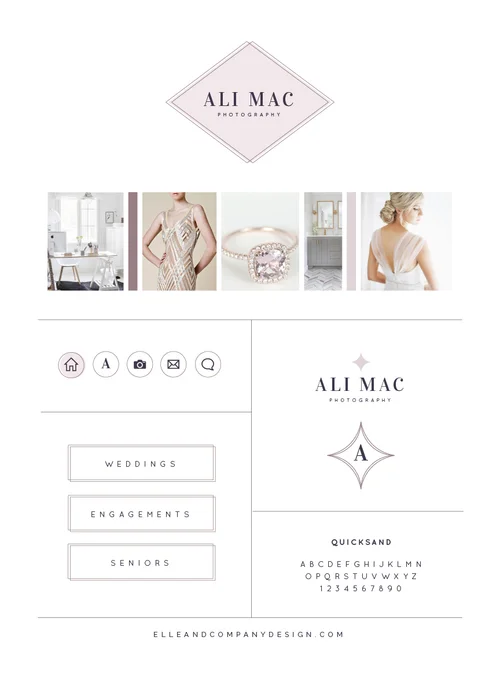
Taking on one design client at a time for 2015 has had numerous benefits, but I've been surprised at how much this new process has helped my creativity. Being able to pour into one client for 2 weeks helps me give them my undivided attention, dive into the new brand's aesthetic, and provide them with a cohesive visual identity through logos, collateral items, and a website. Each 2-week project is different, and the variety and challenge to make each brand one-of-a-kind has been fun for me.
I've had several photographers in my project lineup for the first few months of this year, so I challenged myself to go above and beyond to ensure that each of these brands would be individually unique. The newest Elle & Company brand and website design project is unlike any other I've worked on, and I'm excited to show you some peeks and walk you through the design process today!
"Can I just say, I'm not sure how I found your blog but I have been binging on posts every evening for a week solid! I think I'm in love. Following you on all social media and signed up for your newsletter! Just love every single post I've read and I've read like 20+ so far, ha!"
"I am so so glad I found your website, I have been stalking you for the past few hours."
"Great post and lovely blog. Just found out about you (through an Instagram suggestion). Already love your blog, congratulations!"
We all strive for blog comments like these; there's nothing better for business than to make a great first impression on a first-time visitor and potential client. And while we all know why it's important to hook a visitor from the start, the struggle comes with the "how." Today I'm sharing a few things that can turn a first-time blog visitor into a loyal follower.
March 2015
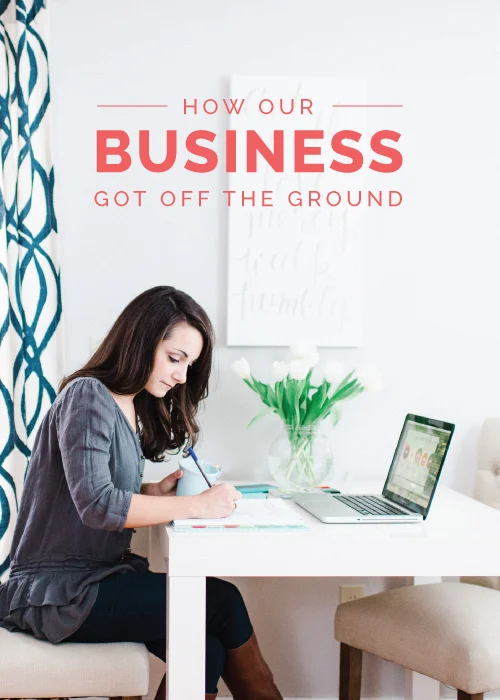
The longer I’m in business, the more frequently I’m asked how I started and grew Elle & Company. My answer is never extremely straightforward; there was no quick fix or simple trick that helped me find my footing in this industry, but there have been several monumental steps along the way that have helped me maintain a steady income and create a job I truly love. I always love hearing the story of how other people got started; it gives me a greater perspective and a connection with their business that I wouldn’t have had otherwise.
And to be honest, I’ve been hesitant to share this kind of post because I don’t want it to seem like I esteem myself highly or that I’ve “arrived.” In the past year of business, I’ve realized that you never arrive; you’re constantly coming up with new ideas, refining your process, and uncovering ways to run your business better. My goal in sharing this today is to tell you the story of Elle & Company, both the good and the bad, in order to give you insight on where this started and hopefully encourage you along in the story of your own blog or business.
Designing cohesive brands and websites for creative entrepreneurs is one of my main focuses within Elle & Company. But as much as I stress the importance of a distinct, streamlined visual brand, I also understand the enormous benefits that can be reaped through building your own personal brand. You've probably heard the term "personal branding" before, and it's one of those terms that's used frequently but isn't often defined.
Personal branding is the process of establishing your expertise within your field.
Archive pages are a great way to categorize and round up your past blog posts. They make it easier for new visitors to take a look through your previous content, and they allow regular readers to quickly find and refer back to posts that they've read in the past. The more that stay on your site and look through your previous posts, the more likely that they will get to know you, like you, and follow along with you.
On Tuesday I blogged about 9 Ways to Make the Most Out of Old Blog Content, and I put an emphasis on the importance of a well-designed blog archive. Since then, I've been surprised by the number of readers who have asked me how to set up an archive page in Squarespace. Today I thought it would be beneficial to walk you through 3 different ways to showcase your archives using Squarespace blocks.
One of my favorite things about designing brands and websites is that no two projects are ever the same. While the design process may look similar, I enjoy designing elements of each brand that make it distinctly one-of-a-kind. Today's brand and website reveal for Minky & Prickett is no exception, and I'm excited to give you an inside look into the design process as well as reveal the final brand and website!
8 out of 10 business fail within the first 18 months (source). That’s a shocking number, isn’t it? And after being in business for over a year now, I can see why that statistic is true; there is a lot more to entrepreneurship than creating your own work hours, being your own boss, and following your dream. I learned the hardest, most costly decisions within my first year, so today I’m sharing some of the most common business mistakes that I’ve run into. While many of life’s best-learned lessoned are often learned from personal experience, my hope is that many of these mistakes will help you stay proactive and avoid errors that could be detrimental to your business in the long-run.
It can be pretty depressing to spend countless hours on a blog post, only to have it buried underneath new content a couple weeks later. It’s a shame to see all of that thought, effort, and value go unnoticed, so today I have 9 solutions for you to help you make the most out of your older, high-quality blog posts (and increase page views and site traffic while you’re at it!).
Instagram is the fastest growing social media platform at the moment. In fact, Instagram has now surpassed Twitter in its number of users and accounts (source). If you're a business owner or blogger who hasn't joined in on the Instagram trend, you're missing out on a fantastic opportunity to increase your brand's awareness and reach your ideal audience.
Well, sort of. Instagram is helpful for growing your following and reaching more potential readers and customers, but there are some serious issues with tracking Instagram's referral traffic. So today Jake is explaining how this problem might affect you as well as sharing some creative ways to track conversions from Instagram.
Content marketing is a term that's thrown around often in business circles, but I've realized that there are many misconceptions on the topic. "Is content marketing the same thing as blogging?" "Content marketing sounds really complicated." "Content marketing might work for your business, but it doesn't make sense for mine." Today I'm clearing up some common misunderstandings on this one subject that's had the greatest positive impact on my business.
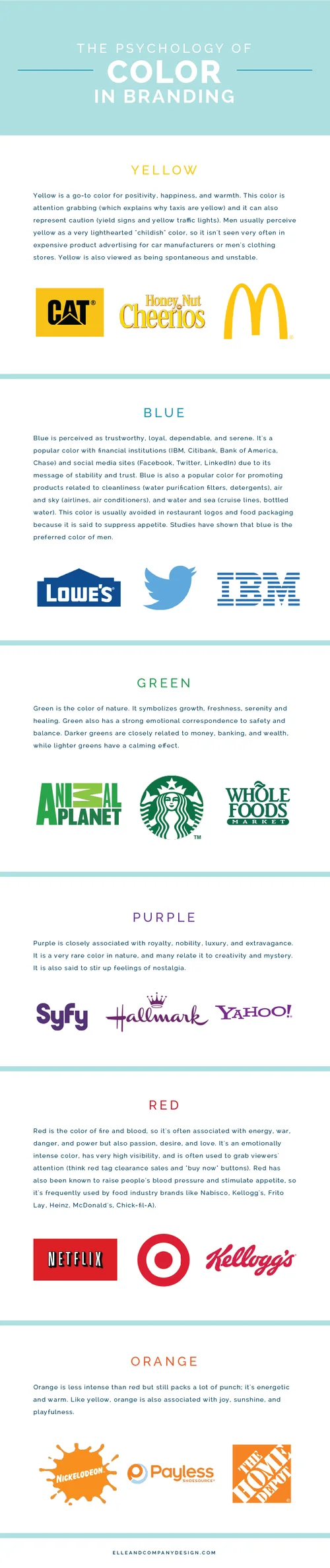
Design is all about first impressions, and one of the most important factors of any design is color. Color choices, pairings, and usage can affect how someone perceives a billboard, a website, or a box of cereal. Whether you realize it or not, colors evoke emotions, feelings, and memories, and designers tap into those emotions as they're choosing colors to appeal to a brand's ideal audience. There is more psychology behind color than you may have imagined, so today I'm sharing some color associations and data that you're already subconsciously aware of but may not have picked up on before.
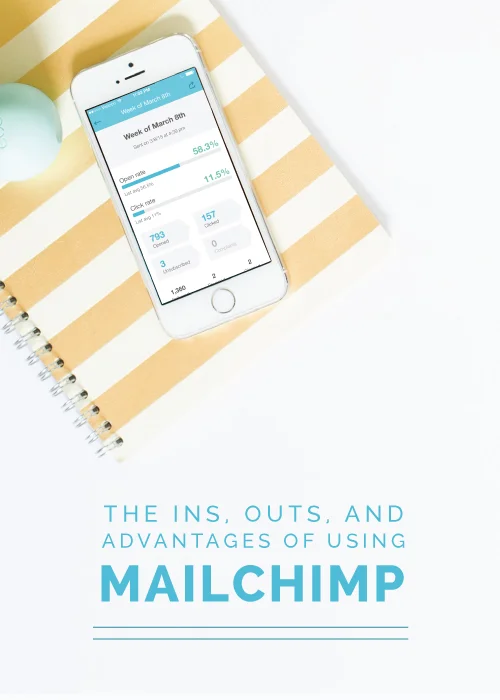
If you've ever wanted to know how to easily set up a mailing list, create a newsletter, or send an automated email to your readers or clients, today's post is for you. Say hello to my helpful friend, MailChimp, a one-stop shop for anything mass-email related. Today I'm explaining the ins, outs, and advantages of this fantastic tool so that you can effectively market to your audience directly from their inbox.
Are you trying to grow your blog audience? This seems to be a topic on most bloggers' minds, especially those who are blogging for profit or for business. I've learned that the quickest way to grow your blog audience is by sharing strong content, but I've also learned that coming up with strong content is easier said than done. I'm here to help make things easier on you today with 10 ways that are guaranteed to make your content stronger and in turn, expand your blog's reach.
Stock images are becoming increasingly popular, especially among business owners and bloggers who are just getting started in their industry. And while I'm not a large fan of general stock images that anyone and everyone can purchase (they hurt brand recognizability and distinction), I understand the need to have professional product and website images. If you don't trust your own photography abilities, I usually recommend working with a photographer for custom stock images that match your brand and can't be found anywhere else. But even then, those pretty aerial desk shots need to be edited and added to every now and then. So how can you make the most out of your stock images? I'm excited to show you in today's post.
While I discussed the great benefits of Squarespace metrics a few weeks ago, their analytics only cover the basics. If you want to go beyond the simple data and have a better understanding of exactly what your visitors are doing on your site, Google Analytics is an extremely useful tool. Today I'm taking you behind the screen to show you how to install Google Analytics and help you understand its data.
One of the biggest compliments you can receive as a designer isn't from a client; it's from their friends and family. So when my recent client and talented calligrapher, Amy Webber, told me that those who know her best looked at her new brand and thought it fit her to a T, I was honored. Not only am I thrilled to reveal this new brand and website design with you today, but I'm excited to walk you through how we arrived at a finished product that both suits the amazingly talented lady behind Sincerely Amy Designs and appeals to her ideal clients.
Are you feeling uninspired about your blog content? Maybe you've been blogging for years and feel a little burned out, or maybe you're new to blogging and struggle to come up with posts that will attract your ideal readers.
One of my most frequently asked questions regarding the Elle & Company blog is how I come up with relevant content for readers on a consistent basis. And my answer is simple: brainstorm sessions with Jake. After months of partnering together to come up with solid blog post ideas, we've gotten our method down to a science. Jake asks me a list of questions, I scribble down answers in my sketchbook as fast as I can, and within 30 minutes I've come up with at least a couple months' worth of high quality content.
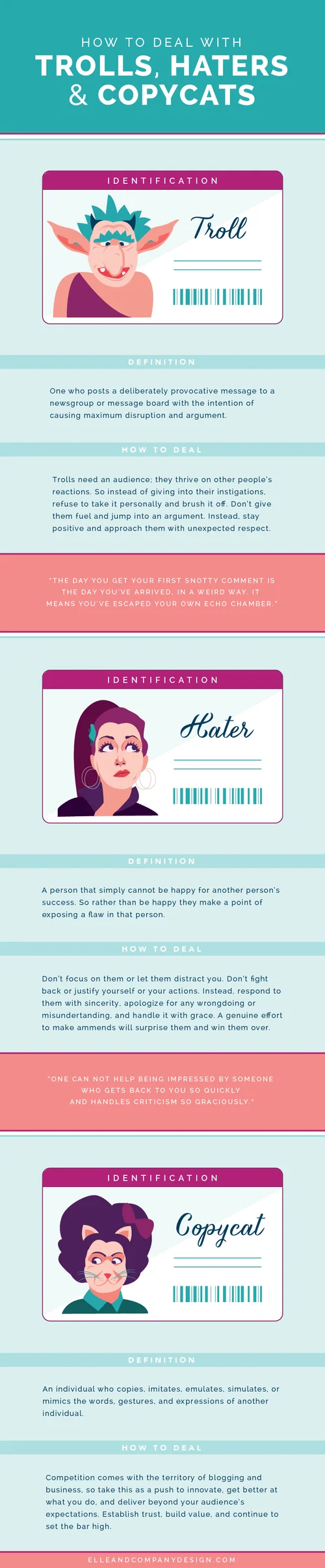
If you're a successful blogger or business owner, you're bound to come across negative Nancies. Their hateful feedback and hurtful comments probably stem from jealousy and insecurity, but often times it's hard not to their words personally. So how do you respond to these trolls, haters, and copycats? Today's infographic should help.

Today seems a little surreal. After months of collaboration, preparation, and anticipation, our Suite is being featured on Glitter Guide today! For those of you who have been following along with Elle & Company since the fall, you know the story of our cozy mother-in-law suite and how I partnered with Michaela Noelle Designs to transform our current living space. And while I'm excited to share the final reveal with you, I'm even more excited to share how I landed this one-of-a-kind opportunity for my business.
Many times in blogging and in business I come across design needs, whether it's a tweak to my website, a graphic for a giveaway, or a simple blog post image. As a full-time graphic designer I have the ability to do all of the above quickly and easily in Adobe Illustrator, but I realize that my situation isn't the norm for most bloggers and creative entrepreneurs. Many of my colleagues and clients have voiced their struggle with learning design software and designing for themselves, so I came up with a solution to help them meet their design needs...

Recently it came to light that Google is reconsidering how they rank websites. According to an article by New Scientist, Google is researching the possibility of changing what they will look for when ranking websites. Rather than basing a website's ranking off of the number of quality inbound links, Google will possibly base search rankings off of facts. Read the article here and the proposal here.
This article has gotten a lot of attention primarily because of its political implications. Many seem to think that this is one step towards censorship because Google would be the determining party for what is factual and favor that information in search rankings. Regardless of your political leanings, this also has implications for blogging. How could this impact you? Keep reading.
As a business owner, you’re always wearing several hats while keeping a million different plates spinning. But chances are, you’re not only a business owner; you probably have numerous commitments and priorities going on outside of your business, too. I understand the need to make the most out of the hours that you do have to pour into your business, so today I’m sharing a few practices that have helped me be the most productive with my time. The perfectionist in me never feels like I’ve arrived in this area - there will always be room for improvement - but I do my best to be organized and intentional with every minute I dedicate to Elle & Company. Here’s how.
Feb 2015
Blogging with Squarespace is simple and intuitive. From adding a blog page to creating and publishing a post, the blogging process in this platform is very straightforward (especially for those of you who don't have any previous experience with coding).
Blogging platforms are always a topic of great debate and can be a touchy subject for some, so I think it's important to preface this post by stating that different platforms work better for different people depending on their needs. I made the switch to Squarespace from Wordpress and Blogger because I needed a backend that was user-friendly, a template that was easy to customize, and great customer support. I've never looked back or regretted my decision, and I highly suggest Squarespace to each of my clients. But because Squarespace is comparatively new to the scene, people aren't as familiar with its blogging capabilities.
I believe that we can all benefit from those who have gone before us and have more experience in our industry. I also believe that everyone loves a good quote. So today I'm rounding up some of my favorite quotes on business and blogging from the some of the best to help you stay motivated as you round out your busy workweek.
After 2 years of freelancing part-time, I cut the last tie this past summer and made the leap to designing full-time for Elle & Company. Since then, I’ve received several inquiries from other aspiring full-timers on how I made the transition. And while there’s no magic formula for making the leap and everyone’s journey looks a little different, there are some practical ways to make a smooth transition. Here's a look at the 7 practices that played the largest role in moving from part-time freelance to full-time design!
Logo design is more than merely coming up with something that looks pretty; there are many things that have to be considered and implemented in order for a logo to make sense, catch the attention of an ideal audience, and set it apart. Today's post is for designers and non-designers alike. It's for all of you who own a business, maintain a blog, or are working on a personal brand. And it's for anyone who's curious about why their favorite logos make sense.
Engagement is the key to a successful blog. It comes about in many ways - comments, shares, purchases, bookings - but it's something that every blogger strives for; we all want to initiate a response in our readers. While building engagement looks different for each blogger and largely depends on your ideal audience, I recently stumbled upon an unexpected way to foster community around Elle & Company: hosting a Twitter chat.
What is a Twitter chat, how does it work, and why should you host one? I'm giving you all the details in today's post.
One of the things I enjoy most about Squarespace is that it's all inclusive. My domain name, site hosting, e-commerce shop, blog, custom email address, newsletter sign-up - all are in one place without any plugins or coding, and Squarespace manages it all for me. Metrics are also included, and I've been very impressed with the simple layout and variety of information that Squarespace provides for displaying my visitor activity. Today I'm taking you into the backend of my website to give you a look inside the metrics that are available within each Squarespace site. By exploring the metrics, you can learn how visitors discover your site and what they do once they're there.
In business and blogging, emails are crucial for client communication, networking, scheduling, and reminders. I've always been a folder-loving, color-coding kind of person, but a few months ago my handy folder system wasn't cutting it for keeping up with the number of emails I was receiving on a daily basis. I found myself spending well over 2 hours a day tackling my inbox, and it cut into the time that I needed to be designing client projects and writing blog posts. I dreaded logging into Gmail and I always felt behind and stressed. I knew that in order to stay on top of things (and maintain my sanity), I needed to find some feasible, time-saving solutions to help me keep my inbox under control. Since then, I've implemented 4 things that have transformed my email system and allow me to clear my inbox each day.
I have a feeling many of you are overwhelmed by your inbox too, whether you're a full-time creative entrepreneur or a part-time blogger. So today I'm sharing the 4 ways that I've found helpful for email in hopes that they might help you get your inbox under control, too.
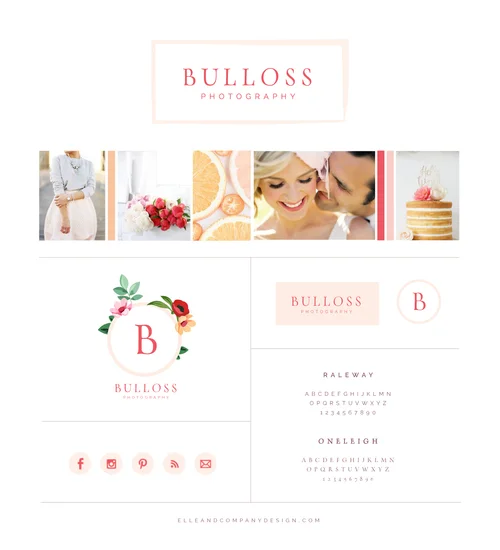
Joy. It's the one word that I was asked to reflect in the new brand and website for Bulloss Photography and it perfectly captures my experience working with Jess and Will. From our initial design meeting to the photos that were used in the inspiration board and the excited emails that I received yesterday about today's launch, joy has been the common theme throughout this design project. This new brand and website is one that I'm thrilled to add to my portfolio, and I'm excited to walk you through my process and reveal all of the lovely details today.
A couple months ago I partnered with some business ladies in similar industries for an Instagram loop giveaway. The goal of the partnership was to pool our followers and have them follow along with all of our accounts in order to enter for a chance to win $500 to J.Crew. An increase in followers on any social media platform give you a greater opportunity to increase sales and attract new clients, so the $170 investment was well worth it on my end; I knew that if I was able to gain one new client because of the giveaway, I would gain a great return on my investment.
I think it's always good to step back and evaluate decisions you make in blogging and business so that you can learn from them and become even more intentional in the future, so today I'm giving you an inside look at the experience. I'm sharing my honest thoughts about it all so that you might be encouraged to step outside the box when it comes to expanding your reach. I also hope that you walk away with a more intentional mindset on why you're doing what you're doing instead of just following along with the trends.
"It's always a great idea to create excitement over your blog and business." I find myself telling this to my clients and peers on a weekly basis, and it's a practice that has played a large role in the increased following of Elle & Company. It's always smart to find ways to stay in the forefront of your readers' minds and keep them coming back for more. Generating buzz about your blog and business gets your followers involved and allows you to connect with them, which in turn builds trust, increases sales, and encourages reader and customer loyalty.
So today I'm sharing 30 simple, effective ways that you can create excitement and generate a buzz about your blog or business. Many of these ideas can be combined, added onto, or built upon, and I encourage you to get creative and make them your own; these ideas will be most helpful for you if they're relevant and appealing to your ideal audience.
Out of all of the comments and emails I receive about Squarespace, SEO is by far the topic that is most frequently asked about. So today Jake is taking over this Friday series to cover search engine optimization on the Squarespace platform and clear up some misconceptions.
There seems to be a lot of misinformation out there about Squarespace and its SEO capabilities. Most agree that it has an easy-to-use content management system and the templates look clean and professional, but for some reason Squarespace can't shake the idea that many people have about its poor SEO capabilities. In fact, several people have contacted Elle & Company telling us that they would make the switch to Squarespace if they hadn't heard that another blogging platform is better for SEO. But is this really accurate?
Most bloggers and entrepreneurs don't have trouble recognizing why branding is important; they have trouble knowing where to start. Last week I covered the why of branding, but today I'm getting practical with the how. Here are 10 steps for creating, refining, and implementing a streamlined brand.
I thought it would be helpful to provide a case study/example as we go along. Since you'll be putting these steps into practice on your own, I'm sharing how I streamlined the Elle & Company brand.
It's natural to want to hoard the tips and strategies that have helped you become successful. I've had several business and blogger friends who are reluctant to share their secrets for fear that others in their industry will learn their ways and rob them of business or page views. But withholding your secrets could be holding you back from a major opportunity to grow your blog and business. And here's why.
Inspiration boards are the foundation for each Elle & Company client design project. Before I begin creating logo concepts or illustrating patterns, I always start by pulling inspiration from photos and compiling them into a clean and cohesive inspiration board. This step is fundamental to my creative process, and it has proven to be effective time and time again for helping me come up with original concepts that my client is happy with.
Email marketing. The sound or thought of that topic may not sound as appealing or exciting as sharing photos on Instagram or posting 140 characters to Twitter, but email marketing is an effective tool for reaching prospective customers and clients. Email campaigns are often an afterthought for many business owners, not a primary marketing strategy. So today I'm discussing the benefits of email campaigns and sharing 4 tips for simplifying your email marketing strategy.
As with any website builder/platform, there's a little bit of an experimental phase as you're getting started. These past couple weeks, my goal has been to walk you through Squarespace and make that experimental phase shorter and easier for you as you set up and customize your own site. I started the series with an overview of why I choose and recommend the platform, I shared how to get started by choosing a plan and template, and last week I covered setting up pages and navigation.
Today I'm reviewing Squarespace Blocks, which allow you to add content to pages and blog posts. I've gathered the information and help links from the Squarespace site and I've compiled them all onto one page for your convenience. My hope is that this post acts as a helpful resource for those of you who are new to this platform. And for those of you who have been using Squarespace already, you might come across some new blocks that you weren't aware of before.

Have you ever wondered why some social media posts get more engagement than others? Studies show that certain days and times of the week affect the number of people who like, share, favorite, and retweet your posts. Most of you are fully aware that 3:00am on a Wednesday morning isn't the most optimal time to post an image on Instagram and expect engagement, but it's helpful to know specific days and times that your audience is most active. Today we've rounded up the data to help you gain more engagement with your followers over social media.
Bounce rate: the percentage of visitors who enter a site and "bounce" rather than continue viewing other pages within the same site. The bounce rate measures the effectiveness of a website to entice readers to continue with their visit. If you have a goal in mind for your audience, whether it's to have them buy a product, contact you for a service, or increase your number of page views for sponsorships, having a low bounce rate is of great importance.
So how can you keep visitors clicking around on your site and entice them to stick around longer? Here are 7 ways.
Branding is a subject that's frequently referred to and rarely defined. It's an area that many business owners and bloggers are familiar with and understand the need for, but they may not be able to clearly define it or explain it's importance. So today I'm breaking down this familiar topic to answer some key questions: What is branding and why is it important?
SEO is one of those topics that has the potential to make your eyes glaze over.
If you have a blog or a website, you're probably aware that SEO is important for gaining traffic and ranking high in Google searches, but chances are, you might be a little intimidated by it all and unsure of where to start. Jake is my lifesaver when it comes to helping me with Elle & Company's search engine optimization, and today he's sharing the basics to help you get started and improve your SEO, too.
January 2015

Now that you've chosen a Squarespace plan and template, it's time to start customizing the site to your needs. But before you jump into any customizations on your new site's design, it's important to build a foundation through adding pages and setting up your navigation. Today I'm walking you through those steps and giving you a glimpse at just how simple it is to build a foundation for your website using Squarespace.
As business owners, we're always consumed with and saturated in the things of our industry. We know the ins and outs of our business, the proper terminology to use, and the reasons behind each of our processes; they've become second nature to us. But when we're working with new clients, it's often easy to forget that our industry is most likely foreign and unfamiliar to them. This can lead to frustration on both ends and prove to be detrimental for building solid client relationships.
"Amateurs get frustrated with clients. Professionals educate them." - Paul Jarvis
You can guard against this dilemma by educating your clients before and during your working relationship. Today I'm sharing why client education is important as well as 5 ways you can put it into practice in your own business.
How can I quickly grow my blog?
It's the question on every blogger's mind, whether you're blogging for your business or you're hoping to monetize your blog in the future. While stats and numbers aren't everything, higher blog traffic helps you attract new customers, gain sponsors, and book clients; it expands your reach and your market.
Among all of the classes that I was required to take for a Visual Communication degree, there was one crucial communication class missing from our list of courses: public speaking. And boy, would it have come in handy this fall as I was preparing for my first speaking engagement about branding in front of 80+ business owners at the Creative at Heart Conference.
After hours of outlining and pinpointing what I wanted to say, rehearsing in front of Jake, and trying to calm the ever-increasing nerves as the conference approached, the presentation went better than I had hoped and it was a great learning experience.
Today I'm sharing some firsthand insights with the hope that it might benefit all of you who have or wish to have a speaking engagement in your future.
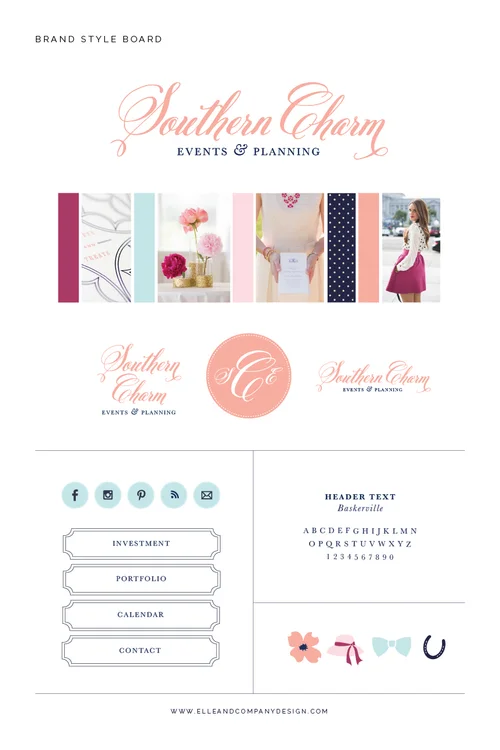
Last fall, after juggling multiple design projects and struggling to spend adequate time on each one, I decided to switch up my branding process and focus on one client at a time. I began booking all of my 2015 design clients in two-week timeframes, and Amanda was the first on my list. We began working on her brand and website two weeks ago, and the following 10 days were a fun whirlwind of concepts, drafts, and revisions. I'll share more about my thoughts on this new process in a later post, but today I'm excited to show off this gorgeous new brand for Southern Charm Events & Planning!
So you're interested in starting a Squarespace site. You're either considering switching over your current blog and website from a platform like Wordpress or Blogger, or you're new to the scene altogether and you're starting from scratch. You probably have a lot of questions like: Where do I begin? Which package is best suited for me? Can I transfer all of my old blog content over? Can I keep my current domain? Today I'm sharing some pointers on getting started with Squarespace as well as insight on which plan would be the best fit for you.
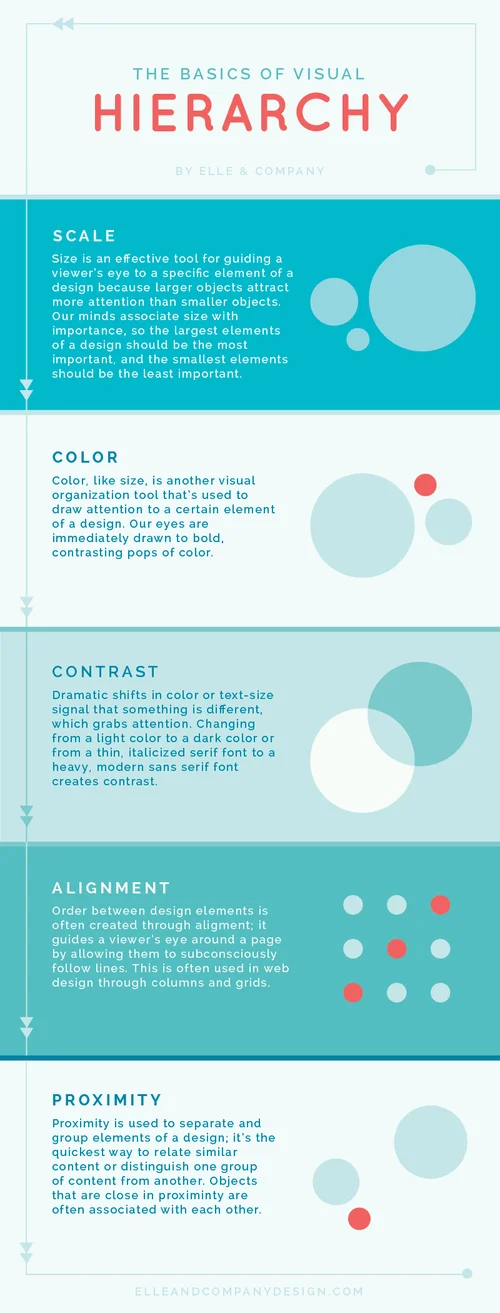
Design is all about communication. While every graphic designer strives to make their work visually pleasing, creating pretty things shouldn't be the only goal. Even more important is effectively communicating the right message to a viewer, and as designers we have several tricks up our sleeve to do just that.
One of those 'tricks' is hierarchy. This tool helps us call attention to the things we want you to look at first and bring less attention to the things we want you to look at last. You may not realize it, but each time you look at a website or a menu, your brain ranks the elements of the page in order of importance based on visual cues. Those rankings guide your eye around a page.
There are a 5 basic design principles that we use to help us achieve proper hierarchy: scale, color, contrast, alignment, and proximity.
Blogging is one of those things that seems simple in theory and winds up being difficult in practice; what starts out as a simple concept can easily turn into hours of outlining, writing, revising, linking, editing, and sharing. This past year I've learned that it's helpful to have a system in place to cover all my bases, and I've almost gotten my process down to a T. Today I'm giving you a peek at my process so that you might take away a couple helpful insights that make creating and publishing blog posts less frustrating and more efficient for you.
Twitter used to be my least favorite social media outlet. Recently I realized the benefits of the platform and began to rethink my strategy for using it. This change in perspective has made quite the difference in how I market Elle & Company and connect with my followers, and while Twitter still doesn't come as naturally to me as it does for others, this new approach has me excited. Do you need some motivation and excitement in your Twitter life? This post might spark a change in your perspective.
What imagery comes to mind when you think of branding for your business or blog? Images of logos, typefaces, or colors might be coming to mind, but have you ever considered branding your photos? The photos that you use in blog posts, promotional items, cover images, even Instagram posts are a large part of how your blog or business is perceived. Today's post is all about the why and how of streamlining your blog/business's photos to attract your audience and create a professional, recognizable brand.

Just like photographers have a preference in cameras and golfers have a preference in clubs, business owners and bloggers have a preference in website platforms. And for me, that preference is Squarespace. I'm such a fan of this platform that I not only use it myself, but I highly recommend it to each and every design client I work with. So what's so great about Squarespace and why should you get on board with this platform? Here are 8 reasons.
Diversity is one of the things I love most about the blogging industry. No two blogs are quite the same; each one has a different mission, audience, aesthetic, and voice. Different things work for different blogs, and monetization one of them. It's common to think of sponsorships when you hear about making money from blogging, but blog sponsors are one of many ways to monetize your blog. So today I'm riding on the coattails of yesterday's post by sharing 7 ways that you can make money from blogging apart from sponsorships. My hope is that you're able to find something in this list that works for you and helps you differentiate your blog from the rest.
Blog sponsorships are a popular topic within the blogging community, and for good reason. When you spend hours each day writing posts, answering emails, and replying to comments, it only seems natural that you would try to find ways to monetize your efforts. For many bloggers, compensation comes through offering sidebar ad space and for others it comes through entire blog posts that highlight a paid sponsor. The internet, especially Pinterest, is full of blog posts on why you should accept sponsors, when you should accept sponsors, how much you should charge, how may sponsors you should accept, and so on.
Elle & Company's readership has been growing quickly since October, and the opportunity to accept sponsors has come up on many occasions. I've put a lot of time and thought into this subject, and I keep coming back to the same conclusion: sponsorships aren't a good fit for this blog. Today I'm sharing the main 4 reasons why.

As a designer, I'm frequently asked which fonts I use and prefer. So today I'm rounding up some of my favorite serif, sans-serif, and fun fonts along with links so that you can download and make use of them, too!
I'm frequently asked how I create graphics for my blog posts, design printables and planners for the Library, and come up with colorful buttons to my sidebar. I'll let you in on a little secret: I design them all through software programs included in my Adobe Creative Cloud subscription. Although I've been taught how to use these programs and I've had years of practice, I believe that learning and working with programs like Photoshop and Illustrator puts business owners and bloggers at a huge advantage. So what exactly is Adobe Creative Cloud and why is it important? I'm giving you all the details in today's post.

Confession: Up until a few months ago, I was very self-conscious about my writing style. I would open each new post document with hesitation; I dreaded getting my words on paper/screen in an organized, easy-to-read fashion. I have a feeling many of you who are bloggers feel the same way. You recognize the importance of blogging for your business or for income and you have great content to share, but you struggle getting your words out clearly. So today I'm sharing my secrets for blogging when you hate to write (and if you make it all the way to the end, you'll find out why I became more confident in my own writing style).
It's hard to believe it's been a little shy of a year since I started this venture. So much of these past 12 months has been spent finding my niche, streamlining my creative process, building client relationships, brainstorming original content, and partnering with other creative entrepreneurs. It's been the most rewarding whirlwind! Today I'm sharing the 12 largest lessons I've learned from this crazy ride that's been my first year in business.
It isn't every day that I'm asked to create a brand and website for an author and speaker, so when Melissa Kruger asked me to design her blog months ago, I jumped at the opportunity! While Melissa had been writing for The Gospel Coalition and Christianity.com for years, she was seeking to have a 'home base' for her blog posts, books, and speaking engagements. She named this new venture Wit's End.
"Slowly I'm learning that being at my wit's end isn't really the end of a thing, but the beginning. The end of thinking I can rescue myself is the beginning of crying out to the Lord for deliverance. The most secure place might just be at the end of my rope, clinging to Jesus, watching Him calm what I cannot control."
If you want to gauge the 'health' and success of your blog, take a look at your analytics. Your analytics help you dig deeper and figure out exactly what's happening on your blog - how many people are visiting, how long they're staying on the page, which pages they click on, etc. There is a lot of information that can be gained from studying your analytics. Jake has been very interested in not only checking the analytics, but trying to read into them to determine what they mean for this site.
So today, Jake is offering some suggestions about where to start looking when your analytics are indicating less-than-ideal results. While these analytics issues may not be a direct result from the problems he's suggested, we hope that this will give you a starting point as you look to improve your blog and earn more traffic.
"What exactly do you do?" It's a question that I'm asked frequently, and as an online business owner I have trouble explaining exactly what I do without getting some confused looks. I've had people question whether I can create a real, sustainable income off of my online design business, which always leaves me frustrated and a little defensive. Explaining the world of blogging and online business to those who aren't familiar with this industry isn't easy, and I'd be willing to bet that I'm not the only one who has faced this challenge. So after numerous awkward conversations about my business, I've come up with a plan. Here are 3 simple tips and a few helpful facts for next time (because there will be a next time).
While a logo is only one aspect of a brand, it has a large impact on the way a business is perceived; it's the face of a business, in a sense. And in an ever-growing design industry where everyone seems to be designing logos, it's easy to lose track of what makes a good logo in the first place. In the words of logo expert and author David Airey, "Anyone can design a logo, but not everyone can design the right logo." So today I'm taking it back to the basics. Here are 5 characteristics of an iconic logo.
December 2014
Wow, what a year! 2014 marked my first year of business and blogging for Elle & Company, and it's crazy to see how much this space has changed and grown since it launched last January. Before we jump into the new year and countdown the last few minutes of 2014, here's a countdown of my 10 favorite blog posts from this past year.
My husband, Jake, has always been stumped as to how Jimmy Buffet has such a loyal following. Even Jimmy will admit that he doesn't have the greatest voice in the world, and yet his fans have their own special name - 'Parrotheads' (and 'parakeets' for those younger Buffet fans). How in the world does this happen and what does this have to do with blogging? Jimmy Buffet and the best bloggers both realize that gaining a loyal audience is all about creating an experience.
So how can you create an experience for your readers? What are some tips that you can implement that will create excitement and keep your audience coming back time and time again? Here are 4 tips that will help you gain your own faithful blog 'parrotheads.'
Do you ever find yourself stuck in a rut, at a loss for how to create original ideas for your blog and business? You're not alone. For the first 6 months of Elle & Company, I had the hardest time staying inspired and coming up with concepts that were original and one-of-a-kind. But last summer I started a practice that pulled me out of that rut: setting aside time to consistently brainstorm.
If you've been following along with Elle & Company for the past few months, you've probably noticed that I'm a big fan of brainstorming. It's a practice that's had the largest impact on the growth and success of my blog and business, it's where I draw inspiration, and it helps me come up with original ideas and content. I'm a firm believer that brainstorming has enormous benefits for every blogger and entrepreneur, but sometimes it's hard to know how to get the ball rolling. Here are 4 tips for making the most out of your brainstorming sessions.
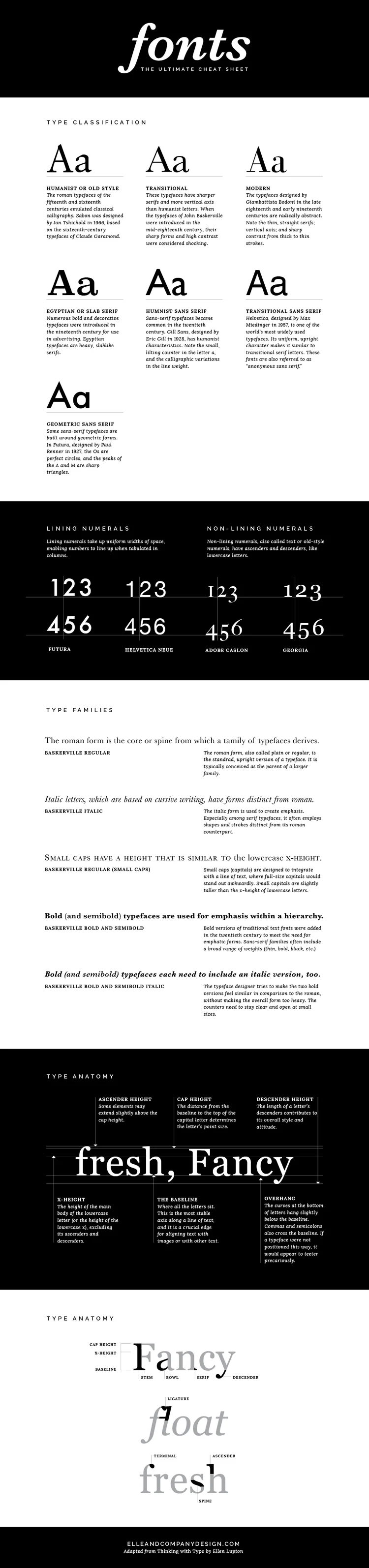
Fonts are everywhere. You see them hundreds of times each day, whether they're on the label of your shampoo bottle, the date on your lock screen, or the road signs you pass on your drive to work. And whether you realize it or not, fonts are just as important to design as colors and composition. There are reasons why some fonts pair well together and others don't; why some fonts seem trustworthy and classic and others feel sleek and modern; why certain fonts are easier to read or why some catch your attention before others.
Say hello to my little friend, Bloglovin'. This blogging tool has been a key factor in the growth of Elle & Company readership, especially this past month when one of my posts gained popularity on the platform and almost doubled my page views... overnight. If you're a blogger and you haven't taken the time to understand and utilize Bloglovin', you're missing out on a great free marketing tool and a crazy number of new readers. So what's so great about this site and how can you take advantage of this social tool? Keep reading.
Photoshop or Illustrator?
It's a common question for business owners and bloggers in regard to creating images and designing promotional materials. Some of the most frequent questions I receive about Elle & Company deal with these programs in some shape or form, so today I'm sharing the similarities and differences between the two.
Social media. It's the cheapest, easiest form of marketing out there. If you're a business owner, a blogger, or both, you've probably been taking full advantage of several platforms like Facebook, Twitter, Pinterest, Instagram, and Google+, to name a few. And why would't you? It's an easy way to reach your followers without paying a dime.
But you may have noticed a slight shift in these platforms lately, especially Facebook. I'm no conspiracy theorist, but I do have some thoughts and opinions on the future of social media.
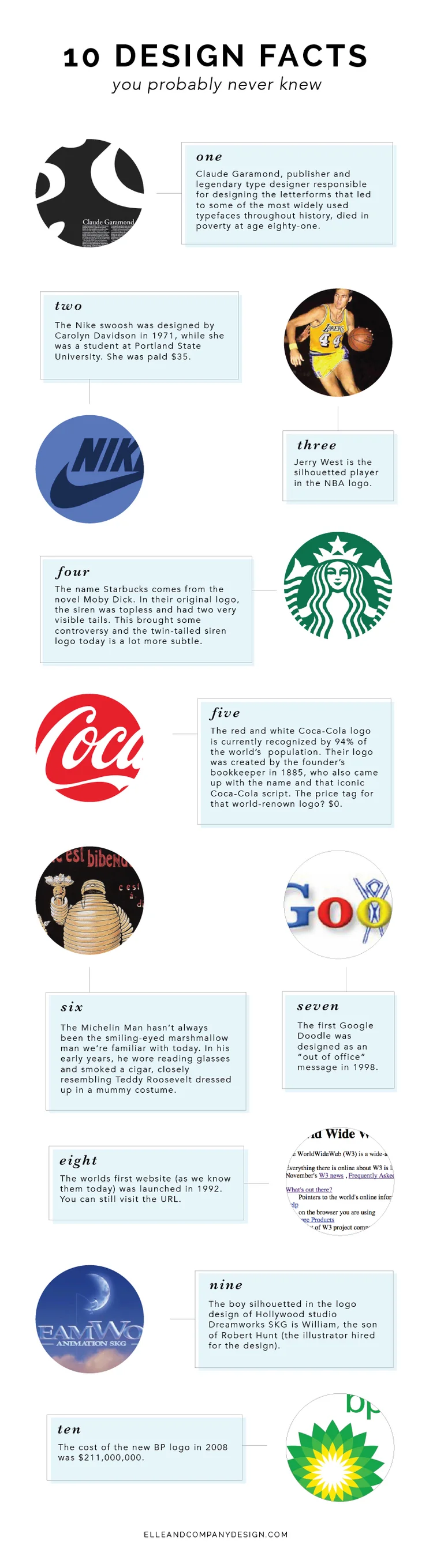
Last week I really enjoyed sharing 10 popular logos with hidden meanings on the blog, so I decided to give it a go with more design facts this week, too! Here are 10 design facts that might have you seeing logos and fonts a little differently.
After sharing 10 design mistakes to avoid last month, I received a request from a reader for 10 blogging mistakes to avoid. So here are two handfuls of mistakes that can hinder your blog's success.
This is both a humbling and interesting post to write. The story I'm about to share with you doesn't highlight one of my proudest moments, but the lessons I've learned and the benefits that have come from it outweigh any of the negatives.
This summer, my husband and I were driving to the beach late at night, in the middle of nowhere, when the gas light came on. Desperate for a gas station, we cried out to Siri for help.
She led us to the only gas station within a 15-minute radius, and it was like something off of a horror film: the convenience store windows were pitch black, a stray cat was eating something in the parking lot and there were no cars in sight. I'm pretty sure I saw Hannibal Lecter at one point. After expressing my concern to Jake, he reassured me that it was going to be okay, but I didn't catch my breath again until we left five minutes later.
First impressions are crucial.
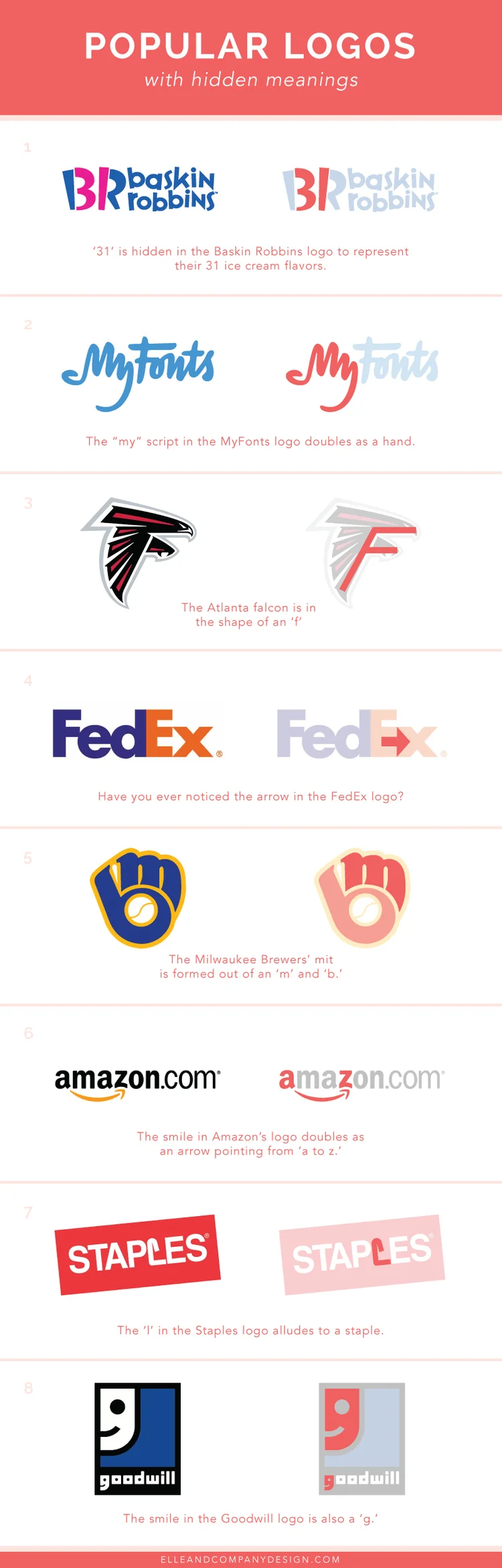
There's a lot more intention behind a brand than what meets the eye. While some logos seem simple and straightforward, there's often a hidden meaning behind the color choices, fonts, and composition of the overall design. Sometimes these clever touches go unnoticed, so today I thought it would be fun to call attention to them! Here are 8 popular logos whose hidden meaning you may have never noticed before:
Creating one-of-a-kind blog images. It's a topic that I'm most frequently asked about and it's an area that many bloggers struggle with. So today I'm approaching the subject with a few reasons why well-designed blog images are important. And I'm not stopping there - I'm also sharing a few of my own secrets for creating attractive blog images, too.
Last summer I wrote one of my most popular blog series, How to Start a Blog. I shared tips for those who are new to the blogging scene about common topics that every new blogger deals with: creating a loyal audience, finding your niche, choosing a name, growing readership, and creating quality content. It was a fun series to write and it continues to be a favorite among Elle & Company readers. But since writing those posts 3 months ago, my readership has more than tripled (and I would like to think that it's due to implementing all of that advice that I shared!). The way I blog has evolved and I've learned new tips and strategies for creating content, marketing my blog, and growing Elle & Company readership.
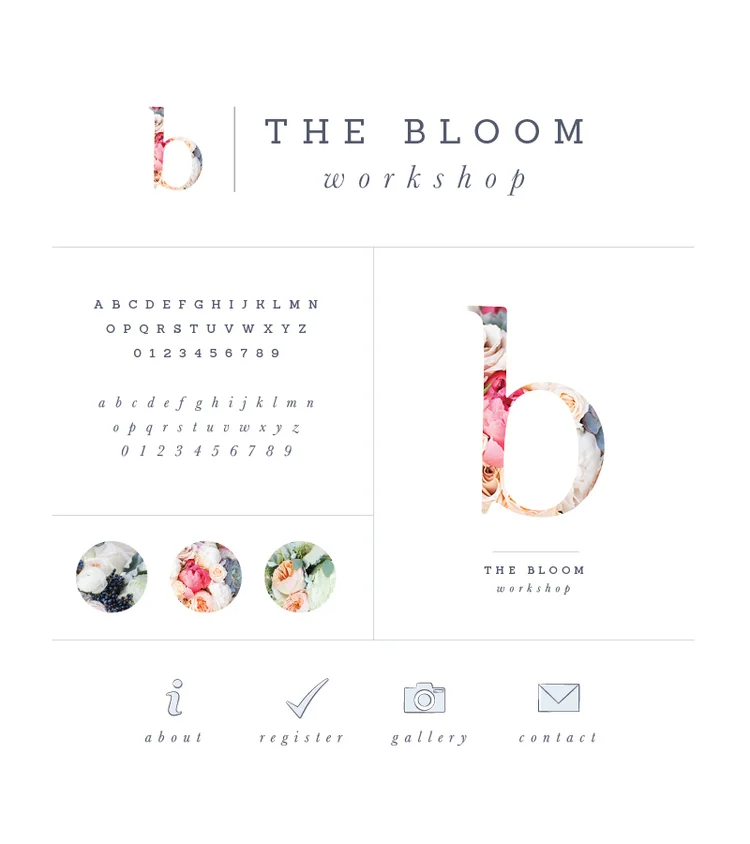
If you're a fan of pretty pinks and soft blues, gorgeous florals, classic typefaces, and illustrative details, you're going to love this new brand for The Bloom Workshop! Bloom is a one-day workshop for creative entrepreneurs that focuses on blogging, design, photography, and styling. Michaela and Ashley do a gorgeous job with every detail of the day, from the teaching to the styled shoot and swag bags. After 3 successful events in 2014, they are offering 3 kinds of Bloom workshops and 9 events throughout the U.S. this upcoming year.
With all of these exciting additions, some changes needed to be made to the Bloom brand.
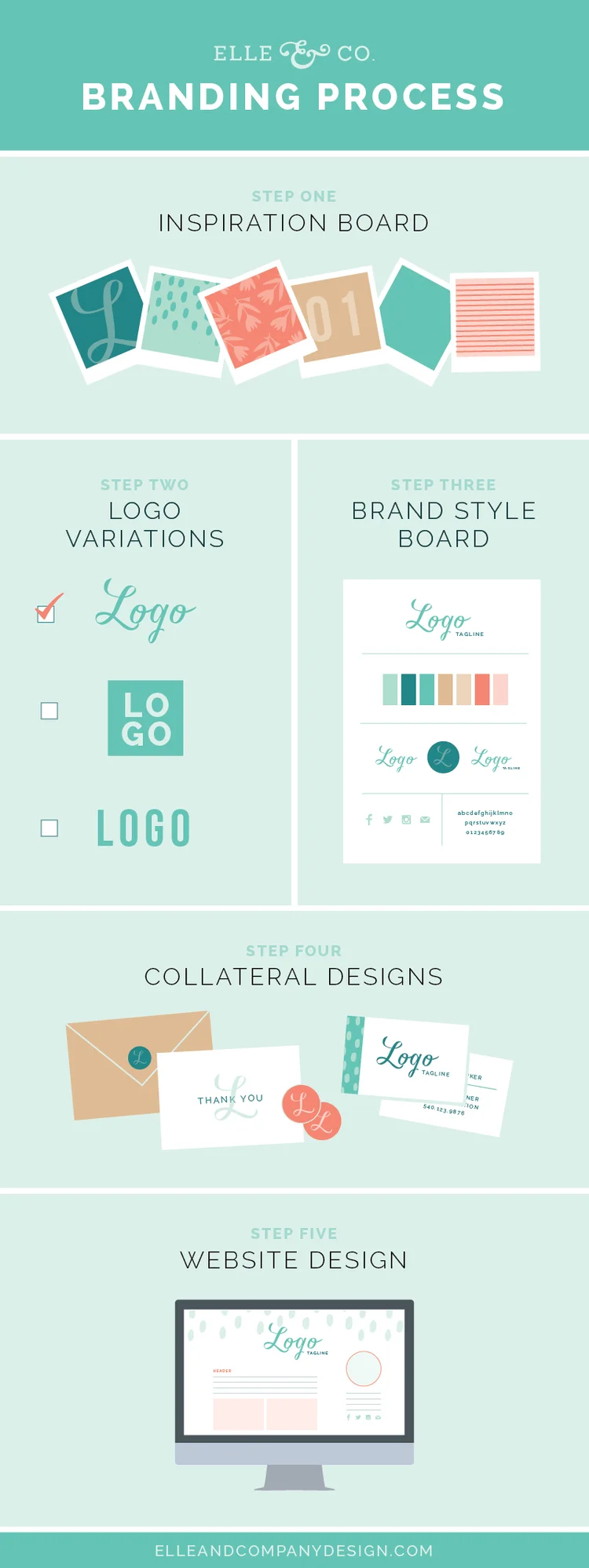
Since the official launch of my branding services this past summer, I've had the opportunity to work with 8 creative entrepreneurs, streamlining their business's visual identity through professional, cohesive brands and websites. And while many of my design practices have been successful, I'm making a couple changes to my branding packages for 2015 to simplify my process and better suit my clients. While the design process itself hasn't changed significantly, there are a couple changes that have me stepping outside of the box...
November 2014

While there's no right or wrong way to blog, great content is the key to blogging success. But share-worthy content isn't always easy to come up with or create, is it? Today I'm coming to the rescue with 50 blog post ideas that you can use to provide your readers with quality content and keep them coming back for more.
Graphic design isn't only about creating pretty things, although that's definitely one of my goals as a designer; it's about problem solving to visually communicate an idea. For the past month I've been going through my creative process step-by-step, sharing about what visual problem solving looks like behind the scenes.



October 2014


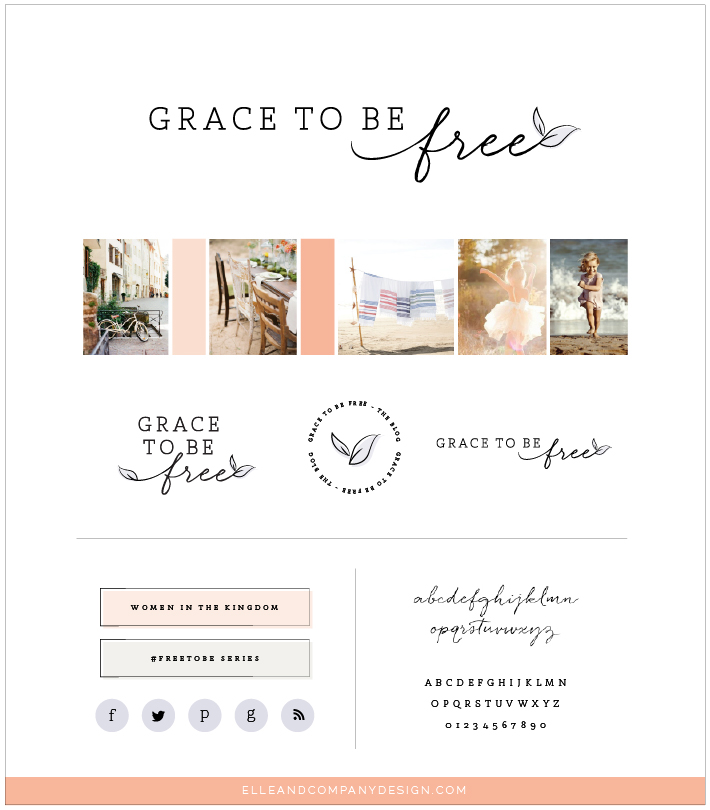
September 2014


August 2014


July 2014


June 2014


Wow! You made it all the way to the bottom of our archives!
If you enjoyed the content above, be sure to follow along with Elle & Company on Bloglovin' to keep up with our latest posts. You might also enjoy the business and blogging insights we share in our newsletter each week. Thanks so much for stopping by!

When it comes to building a website, there’s no denying the simplicity and user-friendliness of Squarespace.
For those of us who want a well-designed site without the hassle and learning-curve of using code and plugins, Squarespace is the perfect option.
But because it’s so easy and each template is gorgeous, it can be hard to determine which template would be the best fit for your website. Out of all the questions I receive about Squarespace on a regular basis, the majority of them revolve around choosing a template.
And that’s where this post comes in. I’m walking you through choosing the perfect Squarespace template for your creative business, step-by step.